Wikilink Alias Markup
 theluckystrike34 downloads
Show inline code, bold, italic and more in the alias of a wikilink, in Reading view and Live Preview.
- Overview
- Scorecard
- Updates2
Wikilink Alias Markup shows the Markdown markup in the alias of a wikilink. Obsidian shows [[Obsidian|obsidian]] with the backticks as plain text, while the Markdown link [`obsidian`](Obsidian.md) shows inline code. With this plugin, the wikilink shows inline code too. Bold, italic, strikethrough and highlight work the same way, in Reading view and in Live Preview. The link still opens on click, shows the page preview and is easy to edit.
Quick start
- Install and enable the plugin (see Install below).
- Make a new note and paste this text into it:
Run [[Obsidian|`obsidian`]] to open the app from a terminal.

The book [[The TeXbook|Knuth's _The TeXbook_]] explains macros well.

Status: [[Draft plan|**Draft** ~~v1~~ ==v2==]] is ready.

| Topic | Note |
| ----- | ---- |
| Command | [[Obsidian\|`obsidian`]] |

> [!tip] Callout
> Chapter [[The TeXbook|`20` of *The TeXbook*]] covers definitions.
- Click on the last line, so that the cursor is not in a link. Live Preview shows
obsidianas inline code, The TeXbook in italic, and so on. - Switch to Reading view. It shows the same markup.
- Put the cursor in a link. You see the source of the link and can edit it.
Features
Markup in the alias
Write the alias the way you write any Markdown text. The plugin shows inline code, bold, italic, strikethrough and highlight inside the link. The animation shows the same note without the plugin, with the plugin, and then the cursor in a link.
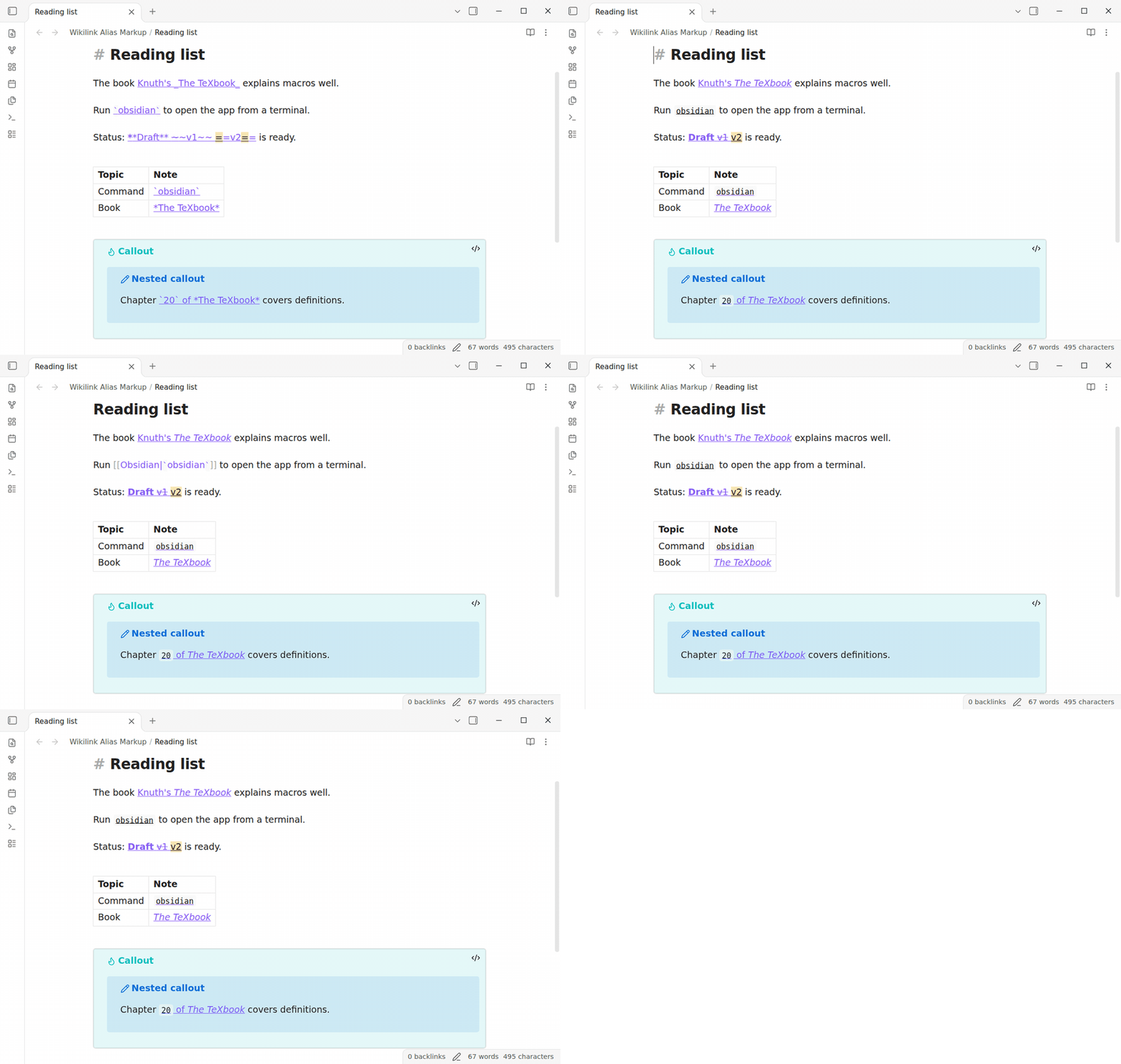
Free: inline code, bold, italic, strikethrough and highlight, in Reading view and Live Preview, in tables and callouts. Pro: math in aliases. $15 one time or $5 a month: Sponsor.
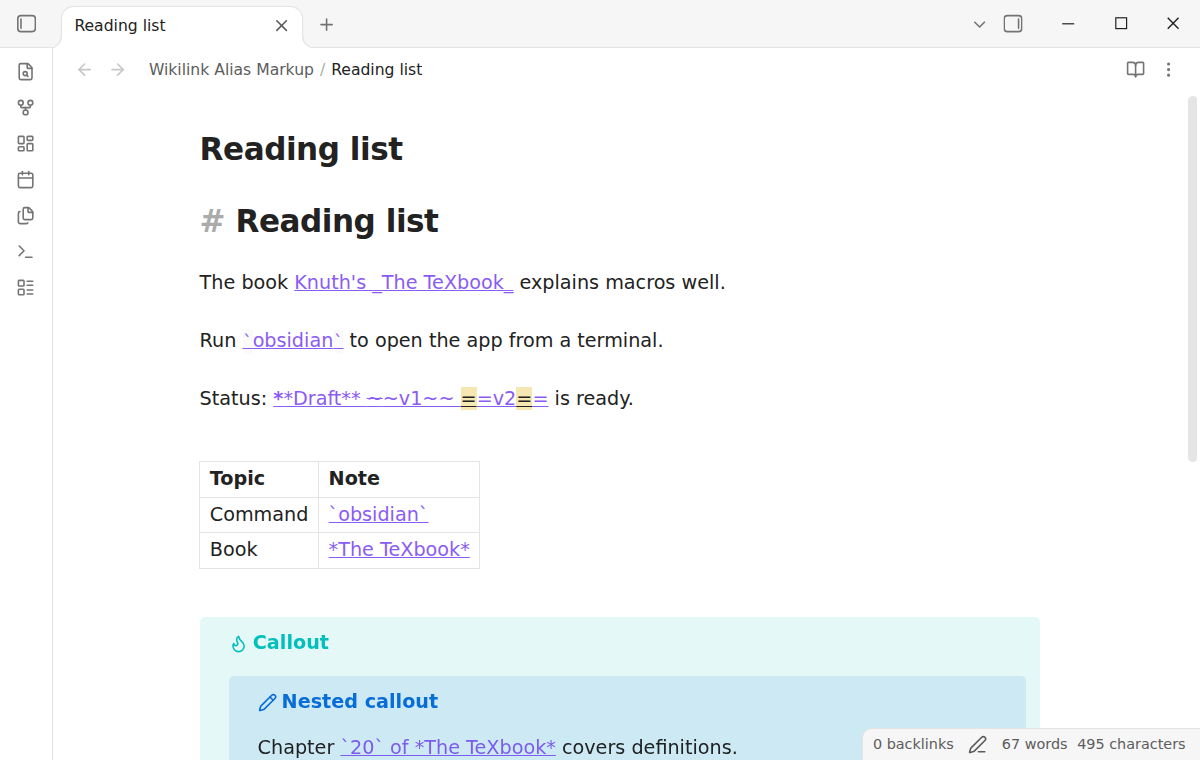
What Obsidian shows without it
Without the plugin, the backticks, stars, tildes and equal signs of an alias show as text. Only a Markdown link shows them as markup.
Live Preview
In Live Preview, the alias text stays text of the editor. The plugin hides only the markup characters, such as the backticks, and gives the text between them the look of inline code, bold or italic. Obsidian keeps its own link look, its click and its page preview, because the link is still the core link. The plugin reads only the lines on the screen, so typing in a long note stays fast. In a test on a note of 5,000 lines with two links on each line, the plugin added less than 4 ms to each keystroke.
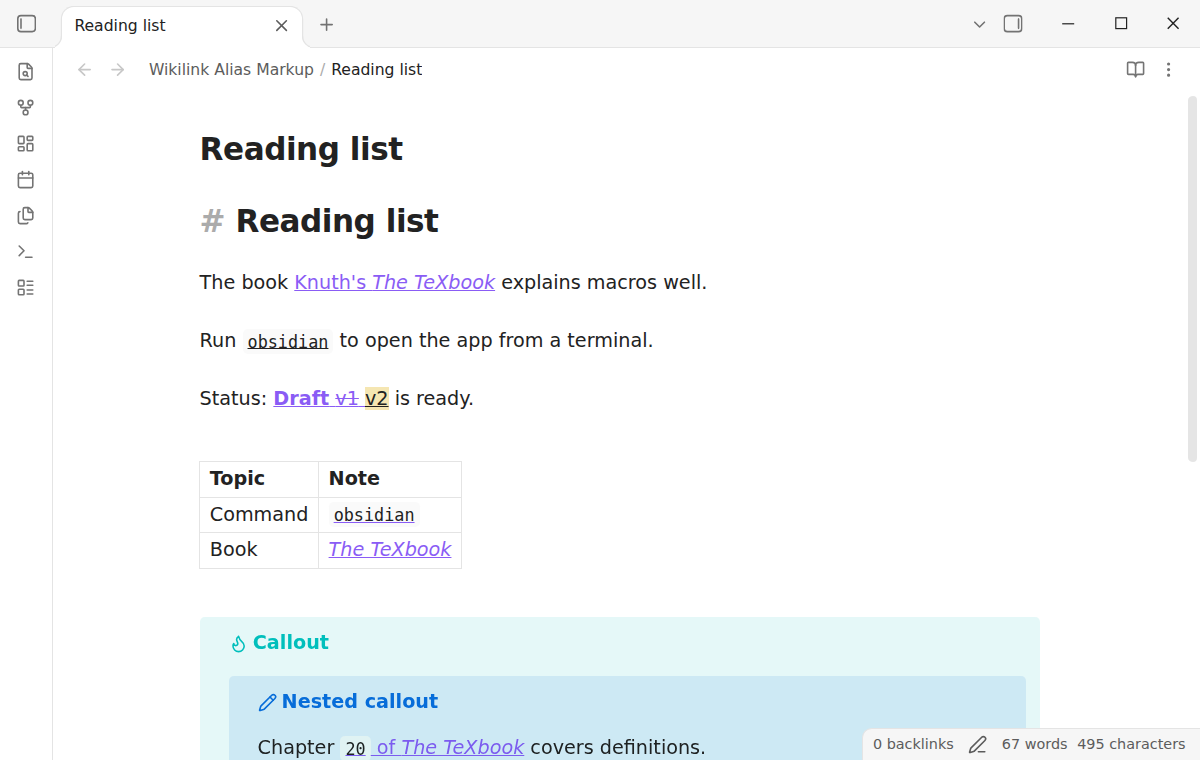
Reading view, tables and callouts
Reading view shows the same markup. The plugin puts code, strong, em, del and mark elements inside the core link element, the same elements that Obsidian makes for a Markdown link. Links in table cells and in callouts, also in a callout inside a callout, show the markup in both views. A link in a code block or in inline code stays as it is.
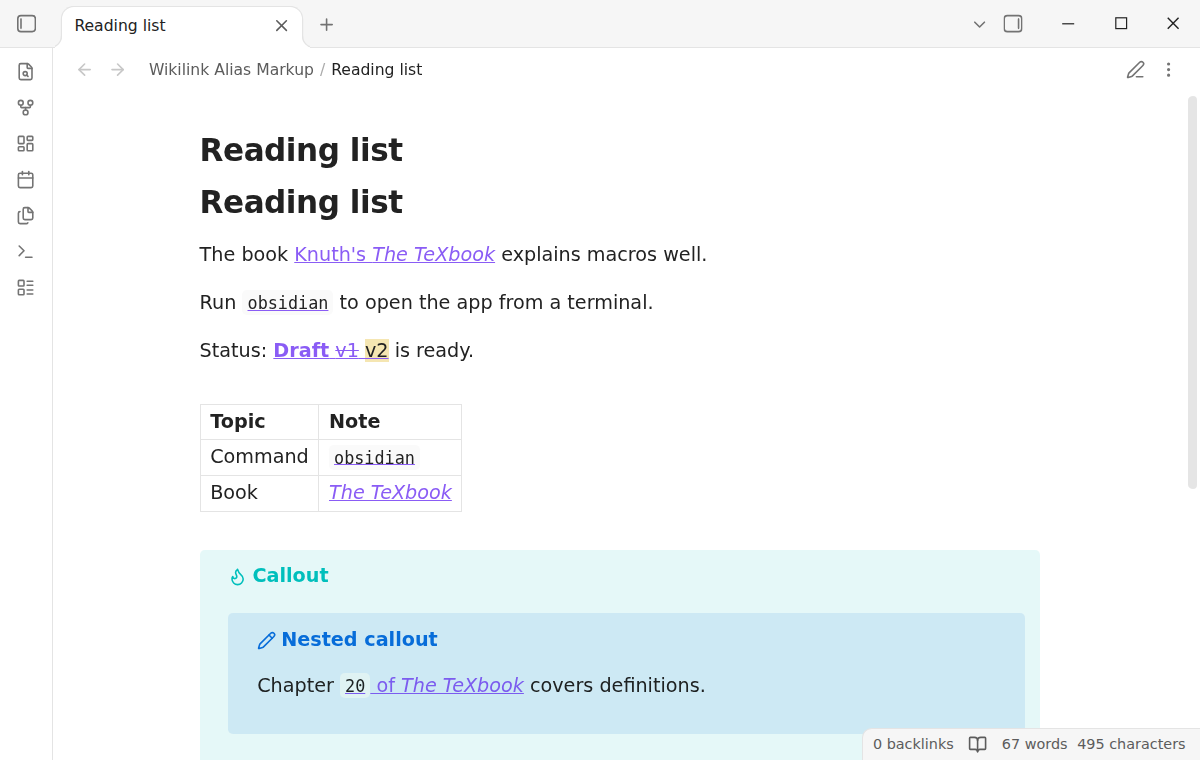
Edit the link as before
Put the cursor in a link, or select text that touches it, and the plugin shows the source, as Obsidian does for any link. The arrow keys move one character at a time, and a selection has the source text. The plugin never writes to your notes.
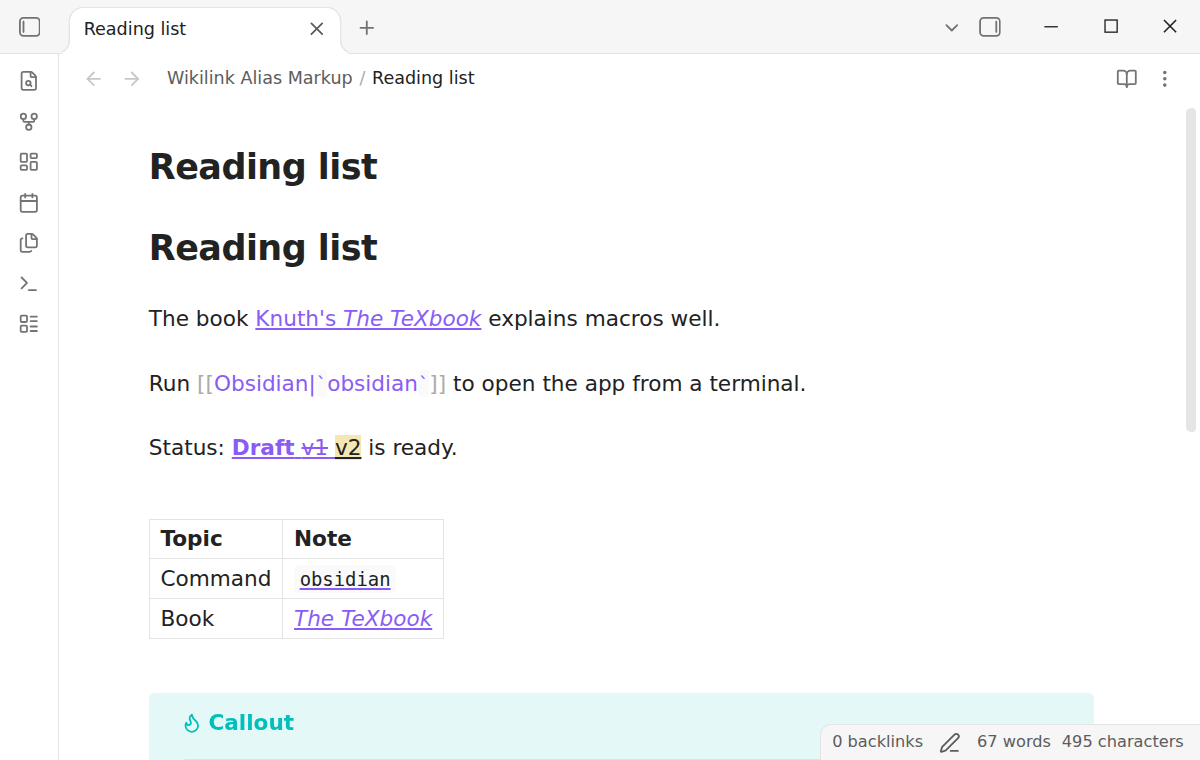
Click and page preview
A click on the formatted alias opens the target note, as on any link. The core page preview shows when you rest the pointer on the alias in Reading view, and when you hold Ctrl (Cmd on macOS) in Live Preview. These are the core rules of "Settings → Page preview".
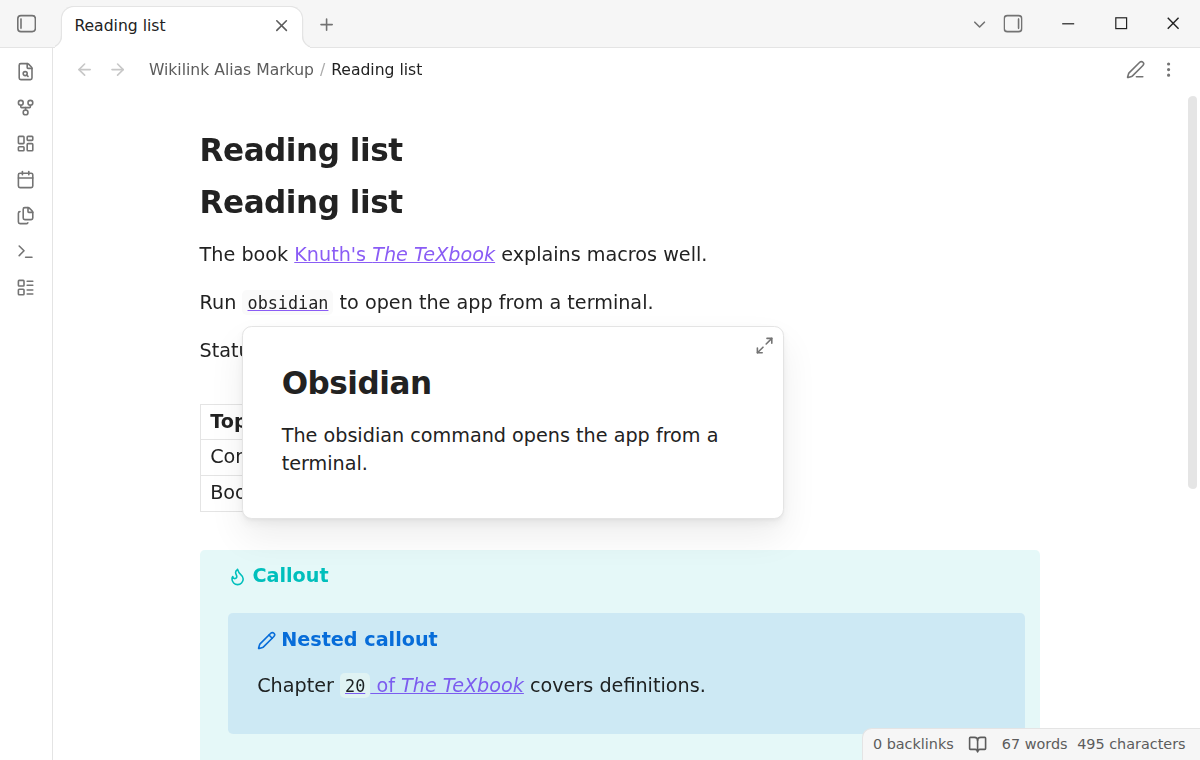
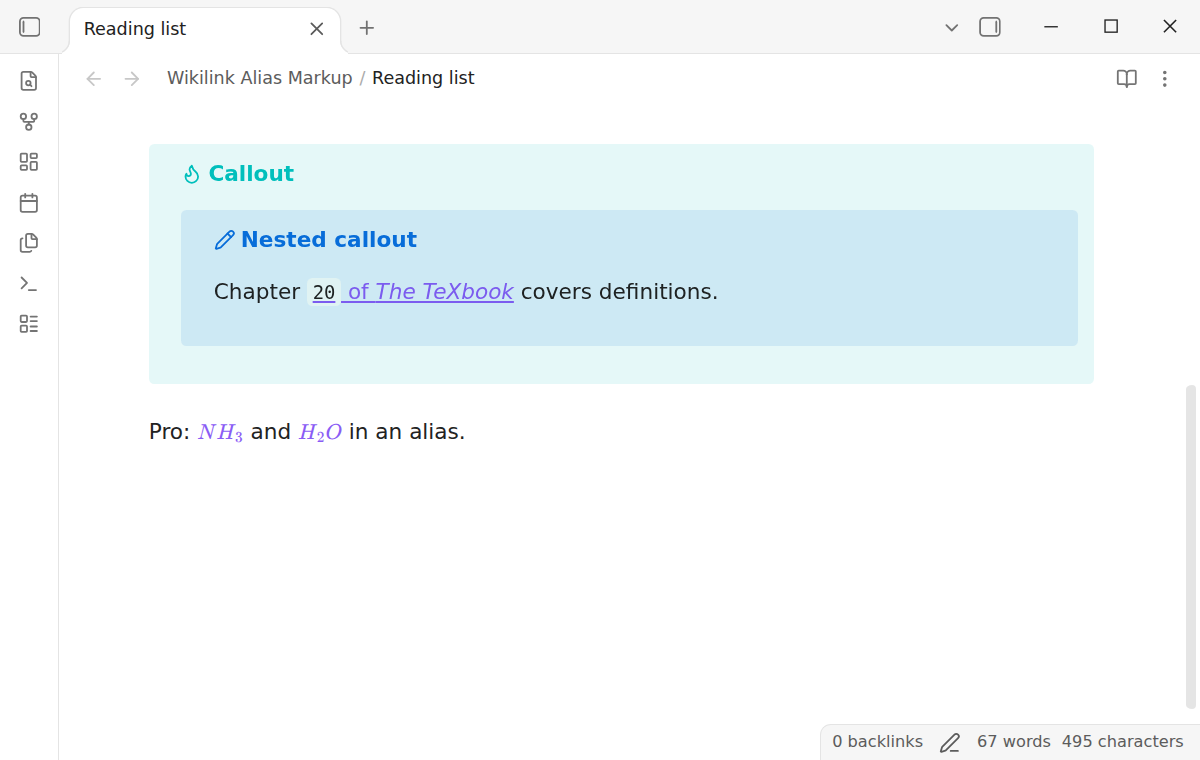
Math in aliases (Pro)
With Pro, $...$ in an alias shows as math, for example [[Ammonia|$NH_3$]]. Reading view uses the MathJax of Obsidian. In Live Preview, the math opens the link on click. A dollar sign with a space after it, or a dollar amount such as $5, stays text. In the free version, the dollar signs show as text, as Obsidian shows them.
Install
- Open "Settings → Community plugins" and turn off restricted mode.
- Select "Browse", search for "Wikilink Alias Markup", then select "Install" and "Enable".
To install by hand, copy main.js, manifest.json and styles.css from the latest release into <vault>/.obsidian/plugins/wikilink-alias-markup/. Then enable the plugin. You need Obsidian 1.13.4 or later.
Usage
There is nothing to set up. Write a wikilink with an alias, [[target|alias]], and put markup in the alias.
| You write | You see |
|---|---|
[[Obsidian|`obsidian`]] |
inline code |
[[Note|**bold**]] or [[Note|__bold__]] |
bold |
[[Note|*italic*]] or [[Note|_italic_]] |
italic |
[[Note|~~old~~]] |
strikethrough |
[[Note|==new==]] |
highlight |
[[Note|\*stars\*]] |
the stars as text |
[[Ammonia|$NH_3$]] |
math (Pro) |
In a table cell, write the pipe of the link as \|, as Obsidian asks: [[Obsidian\|`obsidian`]].
The rules follow CommonMark. A _ inside a word, as in snake_case_name, stays text. Markup inside backticks stays text. A link without an alias, such as [[snake_case_name]], never changes. An embed, ![[...]], never changes.
Settings
After a minor or major update, this plugin opens one What's new tab in the background. The tab and settings card suggest other NoteMods plugins and Zovo Chat and link to notemods.com for feedback (privacy). The tab sends no data. Turn the tab off in Settings.
| Setting | What it does |
|---|---|
| Show markup in Live Preview | On by default. Turn it off to see the markup only in Reading view. |
| Math in aliases | Pro. Shows $...$ in an alias as math. On by default for Pro. |
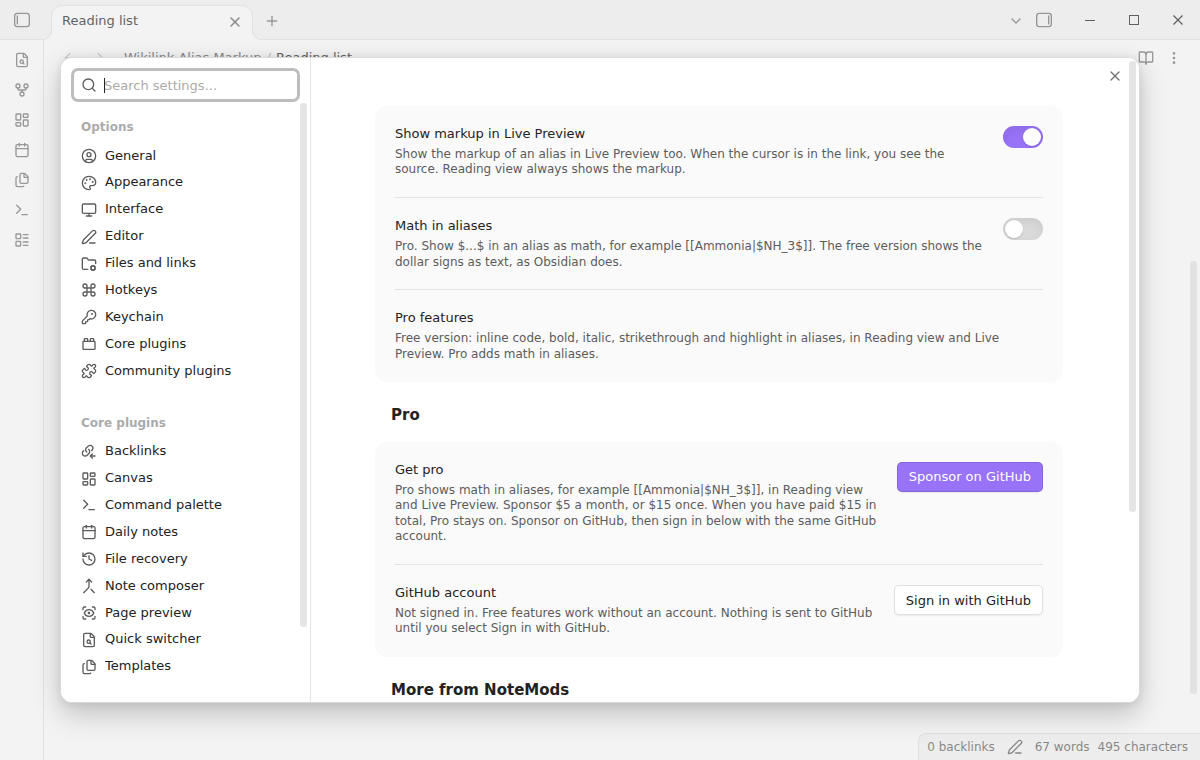
Pro
To sign in and enable Pro:
- Sponsor via GitHub Sponsors. A total payment of $15 meets the payment requirement for Pro without further payment. Sign-in and the checks below still apply.
- In Obsidian, open the settings of Wikilink Alias Markup and select "Sign in with GitHub".
- The plugin copies a code and opens github.com/login/device. Paste the code there and approve.
If you sponsor after you sign in, select Refresh. A negative sponsorship answer turns Pro off.
FAQ
Does it change my notes?
No. The link stays [[target|alias]] in the file. The plugin only changes how the link looks.
Why does a link still show backticks?
The cursor is in the link or touches it, so you see the source. Move the cursor away. In Source mode, Obsidian always shows the source.
Does it change headings in links, such as [[Note#Some heading]]?
No. Only the alias after the pipe changes. Add an alias to show markup: [[Note#Some heading|Some *heading*]].
Does it work in the outline, backlinks or the graph?
No. It works in the note views: Reading view and Live Preview.
How is this different from the CSS snippet in the forum?
The snippet styles the text between backticks in Live Preview only. This plugin parses the alias and shows real markup in both views, with bold, italic and the rest.
Payment, account and network
The core features are free. Pro features need a GitHub Sponsors sponsorship of theluckystrike: $5 a month or more, or $15 once. A total payment of $15 meets the payment requirement for Pro without further payment. Sign-in and the checks below still apply. Your notes stay readable and editable with or without Pro.
One payment turns on Pro in every NoteMods plugin.
GitHub handles the payment. Sponsor at https://github.com/sponsors/theluckystrike?frequency=one-time&metadata_source=wikilink-alias-markup. You need no account for the free features. Pro needs the GitHub account that sponsors.
Until you select "Sign in with GitHub" in the settings, Wikilink Alias Markup makes no network requests. Sign in uses the GitHub device flow. Wikilink Alias Markup sends its public client ID and the scope read:user to https://github.com/login/device/code and shows you a code. While you enter the code at https://github.com/login/device, it asks https://github.com/login/oauth/access_token every few seconds to check the sign-in status. The scope permits profile reads only. GitHub needs this access to show the sponsorship tier. It grants no repository scope and no write access.
After sign in, Wikilink Alias Markup sends one query to https://api.github.com/graphql. It checks if the signed-in account sponsors theluckystrike. It asks for the tier and the total payment to theluckystrike. The plugin reuses a successful check for 7 days. Failed checks can retry after 6 hours. Select Refresh to request an earlier check. It sends no note content, file names or other vault data, and it has no telemetry.
After a successful check, Pro can work offline for up to 14 days. Sign out or a negative sponsorship answer turns Pro off. The plugin stores the GitHub token through the secret storage API of Obsidian. It does not put the token in its saved settings or its local sponsorship data. The local storage of this device keeps your GitHub login, the tier and the time of the last check. Sign out clears the token. You can also revoke the access in your GitHub settings, under Applications.
Support
Plugin page: wikilink-alias-markup.
Report bugs and ask for features in the GitHub issues of this repository. Add your Obsidian version and a small sample note.
Community
Questions, bugs or plugin ideas? Talk to me and other Obsidian users in Zovo Chat on Telegram. It has a topic for these plugins. You can also open an issue here.