Revision Session Marks
 theluckystrike1 downloads
Save a writing baseline and turn later edits into a new CriticMarkup review note.
- Overview
- Scorecard
- Updates1
Revision Session Marks saves a writing baseline and turns later edits into a separate CriticMarkup review note. Use it for a plain prose draft when you want to see what changed during one writing session. The source note stays in place. A review is a new Markdown file in the same folder.
The free commands need no account. Start with a small prose note, save a baseline, edit the note, then stop the session. The plugin checks that the marked review can restore both texts before it writes the file.
Features
Save one writing baseline
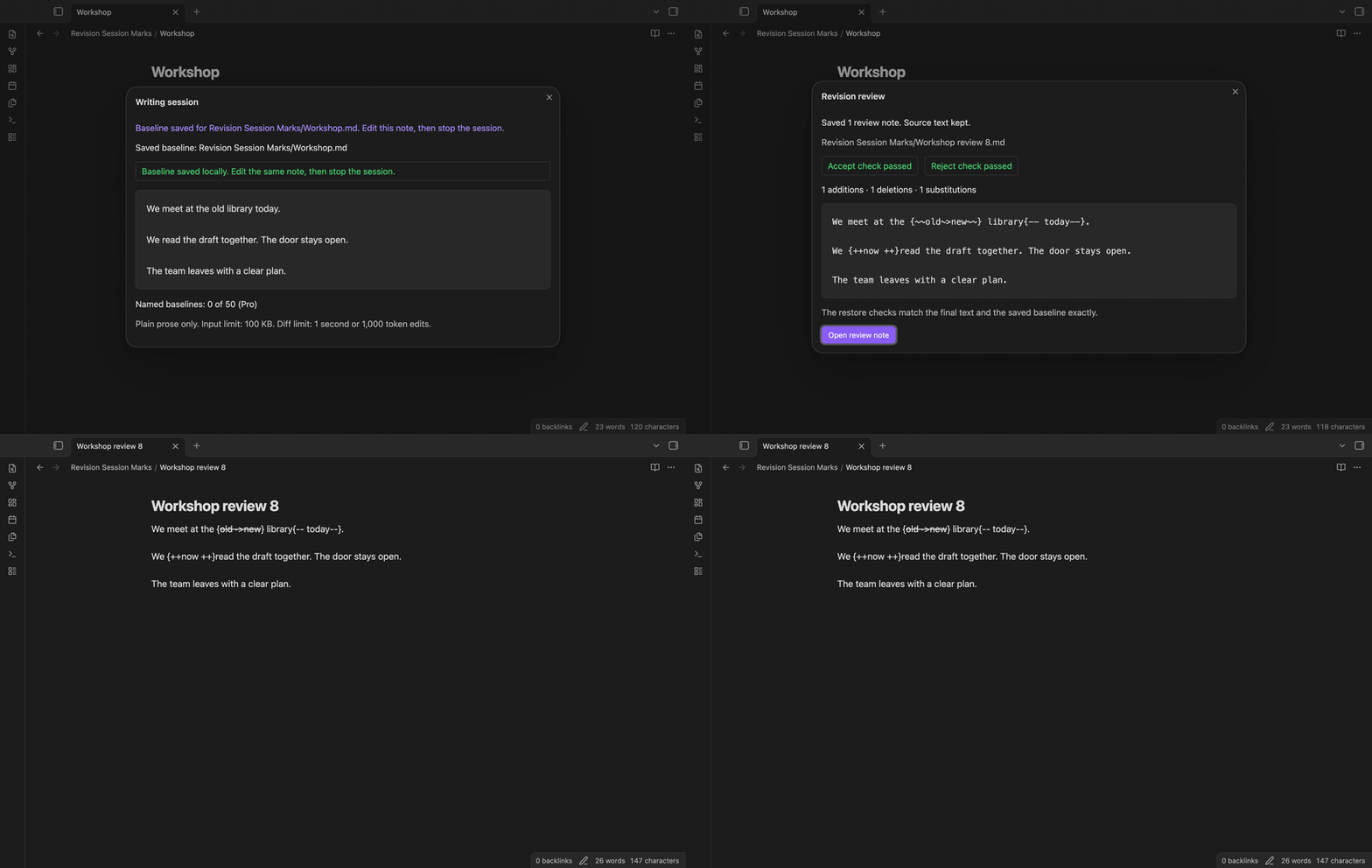
Run “Start a writing session” in the active editor. The plugin saves that editor text and its file path in local plugin data. The baseline remains there after the plugin or app restarts. “Show session and baselines” displays the saved text so you can check which draft it belongs to.
A second start cannot replace the active baseline. Stop the first session or use “Discard the writing baseline” before you start another. Discard removes the saved session text and keeps the source note.
Create a CriticMarkup review
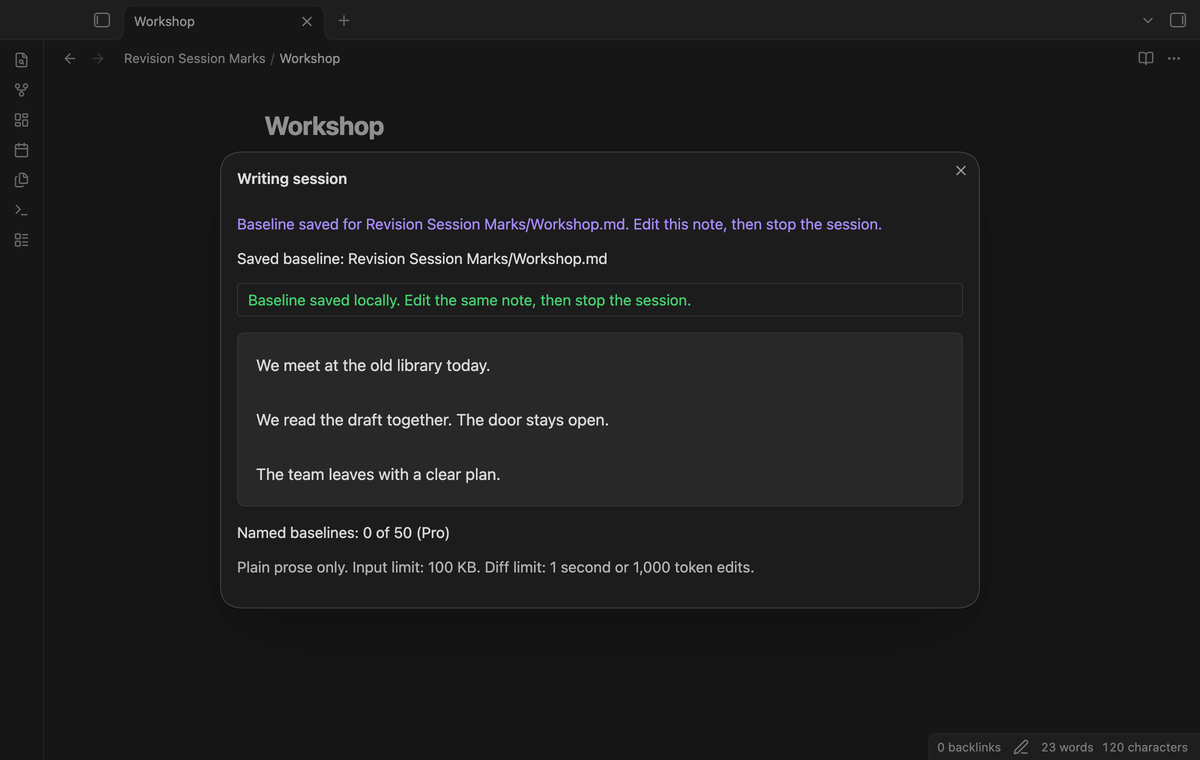
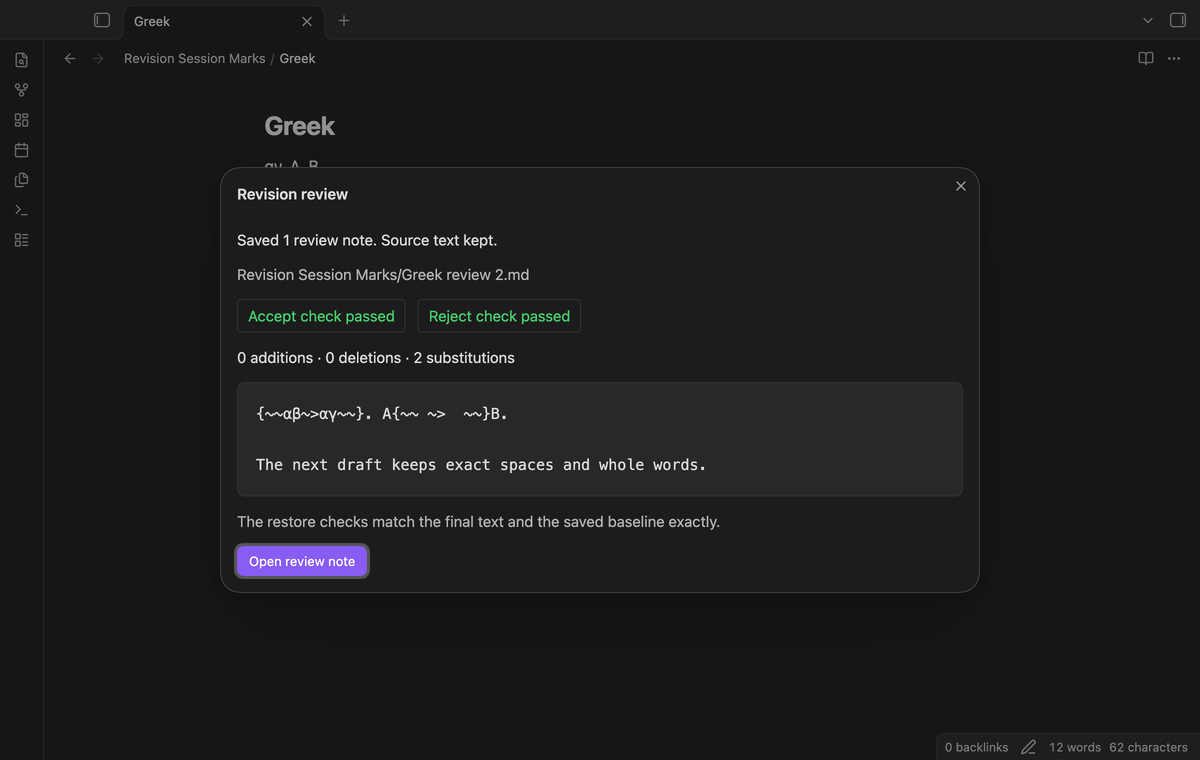
“Stop session and create a review note” compares the current editor text with the saved baseline. Added text uses {++text++}, removed text uses {--text--}, and replacement text uses {~~before~>after~~}. Greek letters and combining marks stay in word tokens. Spaces and line ends are compared exactly.
The output name starts with the source name followed by “review”. If that file exists, a number is added. The review dialog shows the file path and an “Open review note” button. A completed review ends the free session.
Check both restored texts
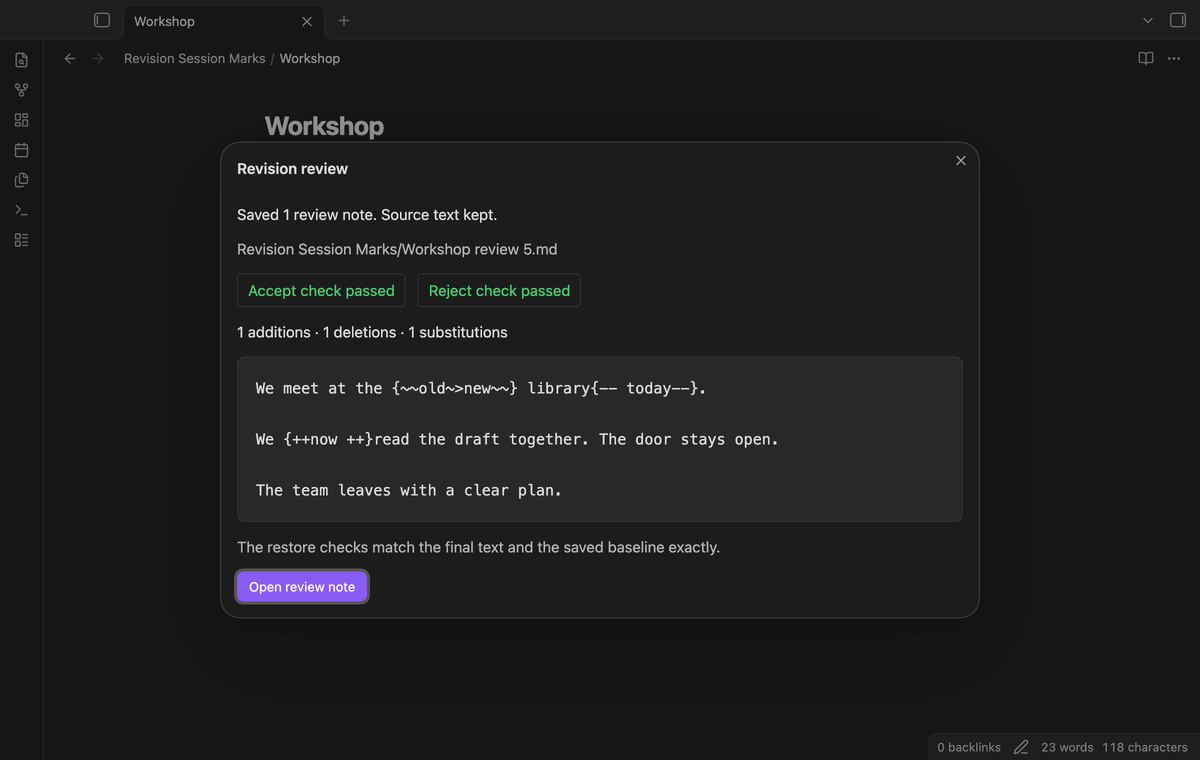
Before output, the plugin interprets the generated marks twice. Accepting the changes must reproduce the current text. Rejecting the changes must reproduce the baseline. The dialog shows the two passed checks. This also checks repeated spaces, trailing line ends and unchanged punctuation.
The checks run during review creation. They do not edit the source or apply decisions to it. A generated file contains the marked prose, so you can copy it into a separate review workflow.
Keep the baseline when input is unsupported
This version accepts plain prose. It rejects existing CriticMarkup, braces, links, code, frontmatter, headings, lists, tables, emphasis, HTML and math markers. An error identifies the baseline or final input and the unsupported structure. Remove that structure from a separate prose draft before you try again.
Each input must be 100 KB or less, measured as UTF-8 bytes. Diff work has a one second limit and a limit of 1,000 token edits. A stopped comparison creates no review and keeps the baseline. Equal inputs show “No changes.” and also keep the baseline.
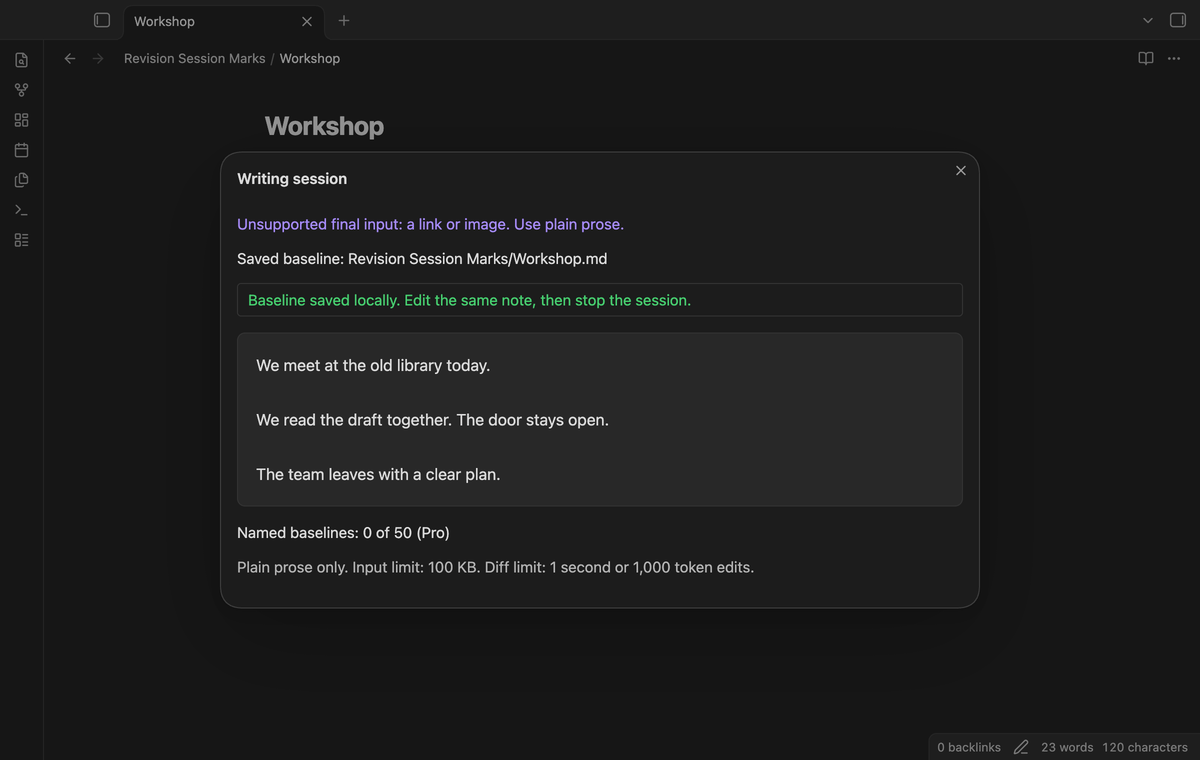
Keep named baselines for several notes (Pro)
Set a baseline name, then run “Save a named baseline (Pro)” for the notes you want to review. The plugin keeps up to 50 named baselines. A name can be shared by several drafts. Select the same name and open its original note to create a review from it.
Named reviews retain their baselines. To replace one, use “Remove the selected named baseline” in that note, then save a new one. After a note is renamed or deleted, “Remove invalid named baselines” removes the baselines that no longer match a file. Inspection and removal remain available when Pro is off.
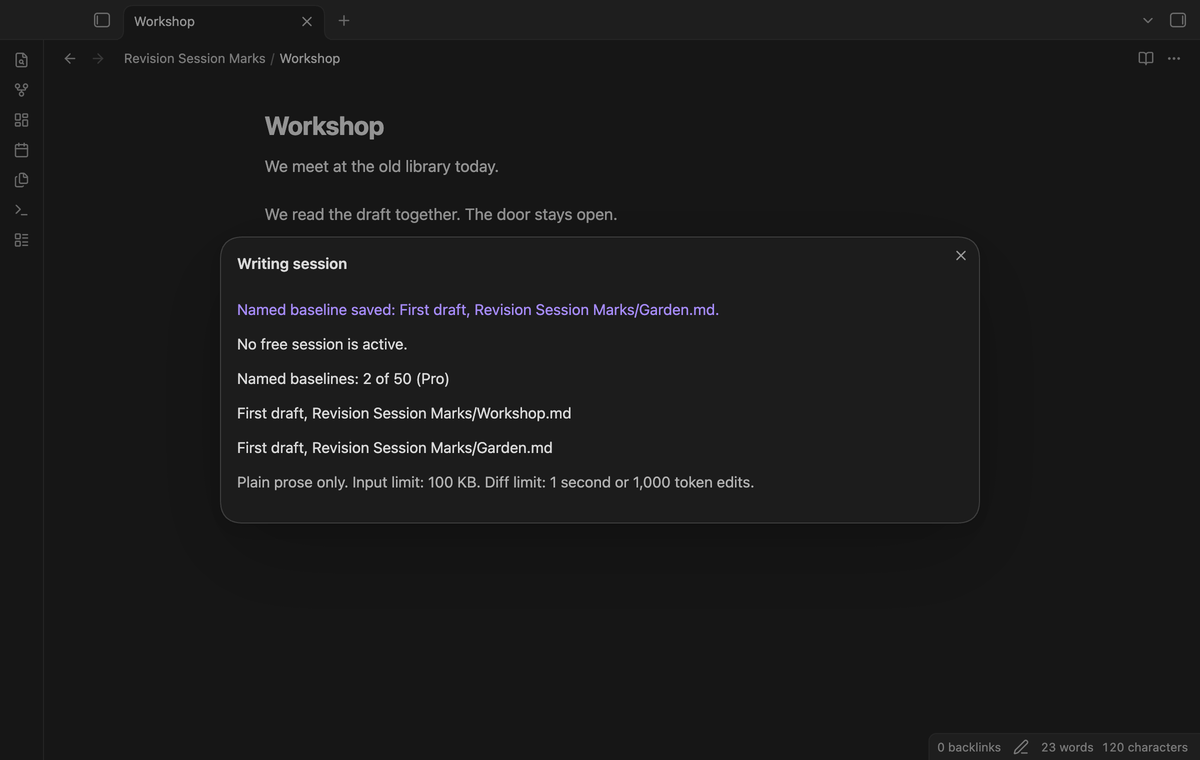
Create folder review copies (Pro)
Open a draft and run “Create folder reviews (Pro)”. The command selects named baselines with the configured name in that note's direct folder. It skips subfolders and notes without a matching named baseline. The active note uses its editor text; the other selected notes are read from the vault.
The command checks the selected inputs before the first output. If a later file write fails, it moves the new copies from that action to trash. A folder review keeps the named baselines for later comparisons.
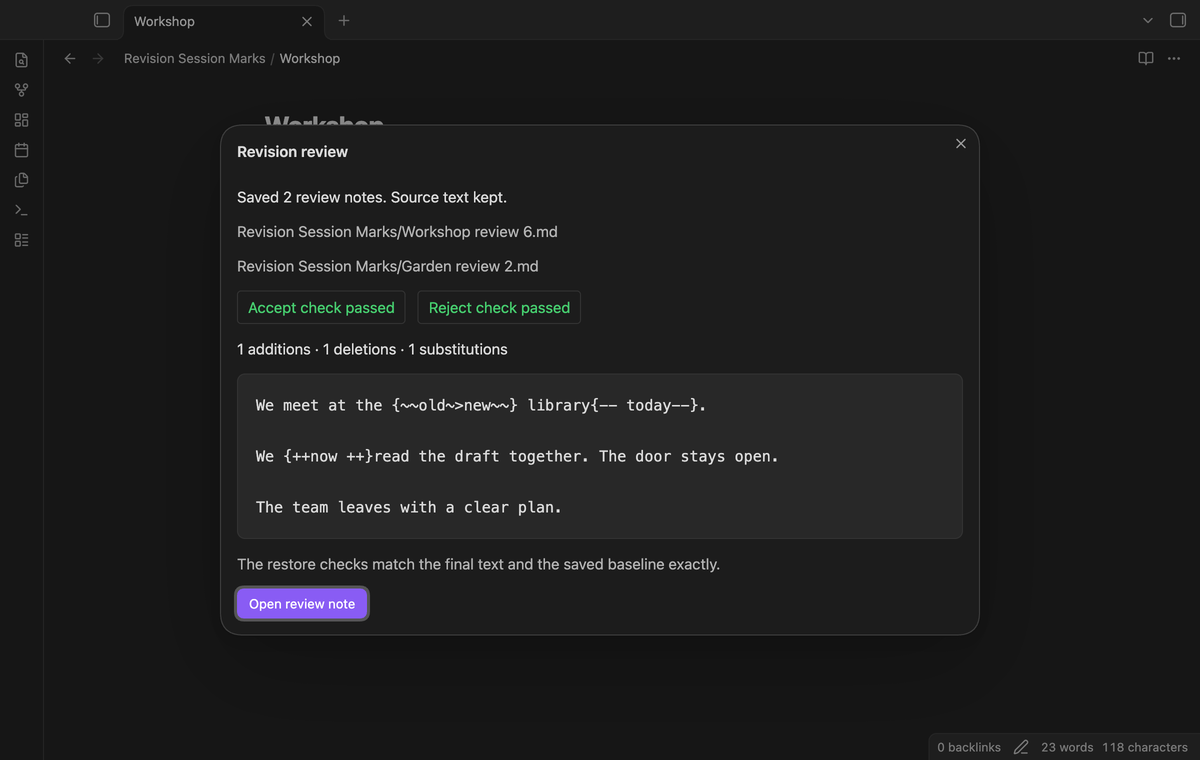
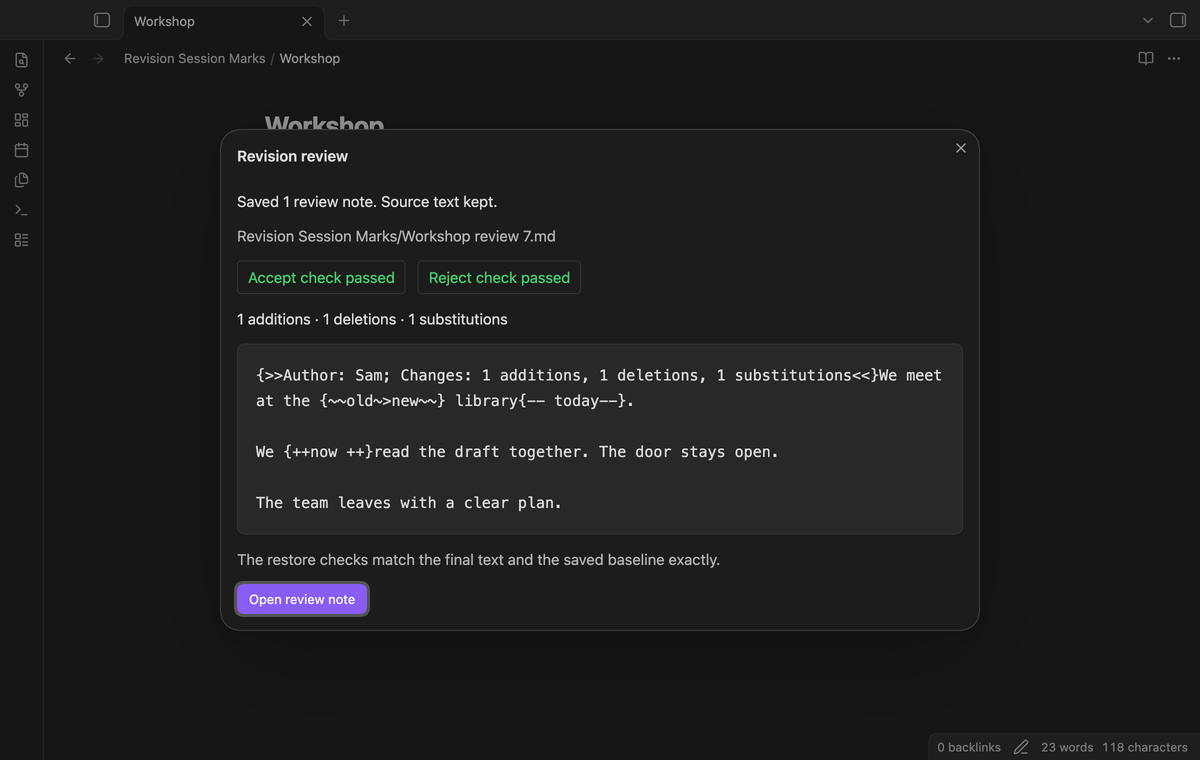
Add author labels and a change summary (Pro)
Set an author label or turn on the change summary. The review then starts with a CriticMarkup comment. The summary counts addition, deletion and substitution marks, rather than words. The author label applies to this comparison, rather than individual keystrokes or earlier authors.
Both restore checks remove the comment. Saved author options are ignored in free reviews. The label and summary stay with the local output and are not sent to GitHub.
Install
For manual installation, put main.js, manifest.json and styles.css in <vault>/.obsidian/plugins/revision-session-marks/. Enable Revision Session Marks in Community plugins. This version requires Obsidian 1.13.4 or later. Keep a backup of your drafts and plugin data before an app update or a sync change.
Usage
- Open a plain prose draft in an editor.
- Run “Revision Session Marks: Start a writing session” from the command palette.
- Edit the same note.
- Run “Revision Session Marks: Stop session and create a review note”.
- Check the dialog, then open the review file.
The file path and creation time must match the saved baseline. A rename or deletion invalidates it. The plugin does not assign the baseline to another note. Discard the invalid free session to start a new one.
Settings
The settings tab has the selected baseline name, optional author label, change summary toggle and GitHub Sponsors controls. The default name is “First draft”. The author label starts empty and the summary starts off. These three output options need Pro. The author label is limited to 80 characters and cannot contain braces, angle brackets or line ends.
FAQ
Where is the baseline stored?
It is in the plugin's data.json with settings. It includes note text and the original vault path. A sync tool can copy that data between devices. Keep the same source file and treat replaced or conflicting plugin data as a reason to check the saved baseline.
What was not tested?
Phone and tablet apps, Windows, Linux, live GitHub payment, live device sign-in, sync conflicts between devices, and third party CriticMarkup renderers were not tested locally. Unit tests cover the diff and failure paths. Real app tests cover commands, saved baseline recovery and separate output files.
Payment, account and network
The core features are free. Pro features need a GitHub Sponsors sponsorship of theluckystrike: $5 a month or more, or $15 once. A total payment of $15 meets the payment requirement for Pro without further payment. Sign-in and the checks below still apply. Your notes stay readable and editable with or without Pro.
GitHub handles the payment. Sponsor at https://github.com/sponsors/theluckystrike. You need no account for the free features. Pro needs the GitHub account that sponsors.
Until you select "Sign in with GitHub" in the settings, Revision Session Marks makes no network requests. Sign in uses the GitHub device flow. Revision Session Marks sends its public client ID and the scope read:user to https://github.com/login/device/code and shows you a code. While you enter the code at https://github.com/login/device, it asks https://github.com/login/oauth/access_token every few seconds to check the sign-in status. The scope permits profile reads only. GitHub needs this access to show the sponsorship tier. It grants no repository scope and no write access.
After sign in, Revision Session Marks sends one query to https://api.github.com/graphql. It checks if the signed-in account sponsors theluckystrike. It asks for the tier and the total payment to theluckystrike. The plugin reuses a successful check for 7 days. Failed checks can retry after 6 hours. Select Refresh to request an earlier check. It sends no note content, file names or other vault data, and it has no telemetry.
After a successful check, Pro can work offline for up to 14 days. Sign out or a negative sponsorship answer turns Pro off. The plugin stores the GitHub token through the secret storage API of Obsidian. It does not put the token in its saved settings or its local sponsorship data. The local storage of this device keeps your GitHub login, the tier and the time of the last check. Sign out clears the token. You can also revoke the access in your GitHub settings, under Applications.
Support
This plugin uses diff by Kevin Decker under the BSD 3-Clause license. See THIRD_PARTY_NOTICES.txt.
Report a bug in this repository's issues after it is published. Include the app version, command, error message and a small prose example. Remove private text before you share an example. The publisher is theluckystrike, also at notemods.com.