AWS DynamoDb For Obsidian
 leenattress3k downloads
Query AWS DynamoDB and render tables inside documents.
- Overview
- Scorecard
- Updates1
This plugin for Obsidian.md allows you to perform simple AWS DynamoDB queries within your markdown documentation. It was originally designed to aid in single table design by providing a rapid prototyping and querying document during data access pattern discovery.
You create a code block with the type dynamodb and inside it write your query. You can use PartiQL or pass the parameters just as you would when using the DynamoDB client in the AWS SDK.
Features:
- ✅ Basic Credentials management (Key/Secret)
- ✅ Query by PartiQL
- ✅ Query by SDK params
- ✅ Render to simple inline table
- ✅ Useful error messages
- ✅ Region selector
- ✅ Quick table info (with GSI and LSI details)
- ❌ Deals with complex nested objects
- ❌ Deals with large amounts of records (remember to limit)
Commands
Press cmd + p to bring up the command search and type...
dynamodb-set-regionto change the region your tables are indynamodb-info-commandto list tables in that region and get some basic info on them, such as their global indexes, or the amount of records
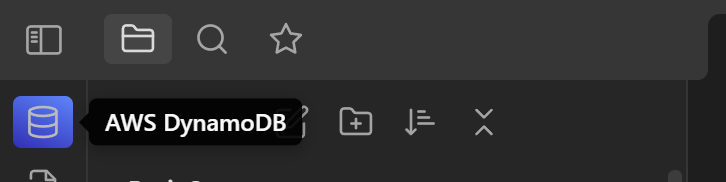
Note that the dynamodb-info-command can also be accessed by clickint the dynamo icon on your ribbon, usually located on the top left of Obsidian.
Examples
Query with parameters like in the SDK
```dynamodb
params:
    TableName: Dynamotable
    KeyConditionExpression: pk = :v1 AND sk = :v2
    ExpressionAttributeValues:
      ":v1":
        S: "ORG#3t"
      ":v2":
        S: "ORG#3t"
PartiQL query using begins_with on the sk
```dynamodb
query: SELECT * FROM Dynamotable WHERE pk = 'ORG#Microsoft' AND begins_with("sk", 'ROLE#')
PartiQL query pk and sk
```dynamodb
query: SELECT * FROM Dynamotable WHERE pk = 'ORG#Microsoft' AND sk = 'ORG#Microsoft'
Has a title and supports emoji
```dynamodb
title: 🍏 PartiQL Scan in a specific region
query: SELECT * FROM Dynamotable
region: us-east-1
66%
HealthFair
ReviewCaution
About
Query DynamoDB from your notes using PartiQL or SDK-style parameters inside a dynamodb code block for rapid prototyping and access-pattern discovery. Render results as a simple inline table, manage basic AWS credentials and region, and view quick table info including GSIs/LSIs with clear error messages.Details
Current version
1.0.1
Last updated
4 years ago
Created
4 years ago
Updates
1 release
Downloads
3k
Compatible with
Obsidian 0.15.0+
Platforms
Desktop, Mobile
License
MIT