Search...Search plugins and themes...
⌘K
Sign in
  • Get started
  • Download
  • Pricing
  • Enterprise
  • Account
  • Obsidian
  • Overview
  • Sync
  • Publish
  • Canvas
  • Mobile
  • Web Clipper
  • CLI
  • Learn
  • Help
  • Developers
  • Changelog
  • About
  • Roadmap
  • Blog
  • Resources
  • System status
  • License overview
  • Terms of service
  • Privacy policy
  • Security
  • Community
  • Plugins
  • Themes
  • Discord
  • Forum / 中文论坛
  • Merch store
  • Brand guidelines
Follow us
DiscordTwitterBlueskyThreadsMastodonYouTubeGitHub
© 2026 Obsidian

MOC Blocks

nebulousnessienebulousnessie47 downloads

Interactive Maps of Content for organising your vault visually.

Add to Obsidian
  • Overview
  • Scorecard
  • Updates3

Any bugs, please report it on the git repository, thank you!

This is a plugin for creating simple Maps of Content, with a background image, using new 'MOC Block' code blocks.


Using the Plugin

Adding a MOC Block
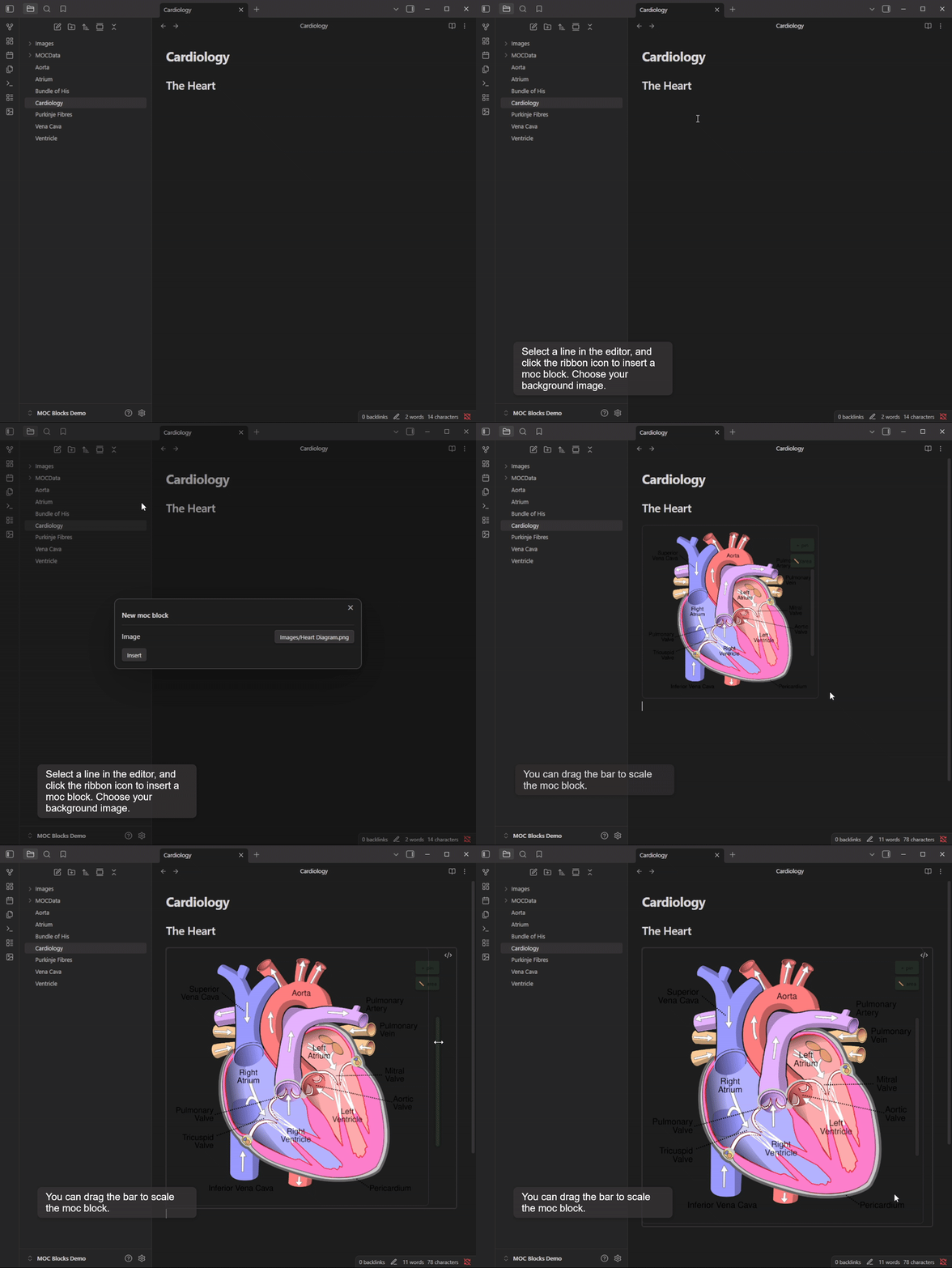
Adding a MOC Block

Adding and Editing Markers
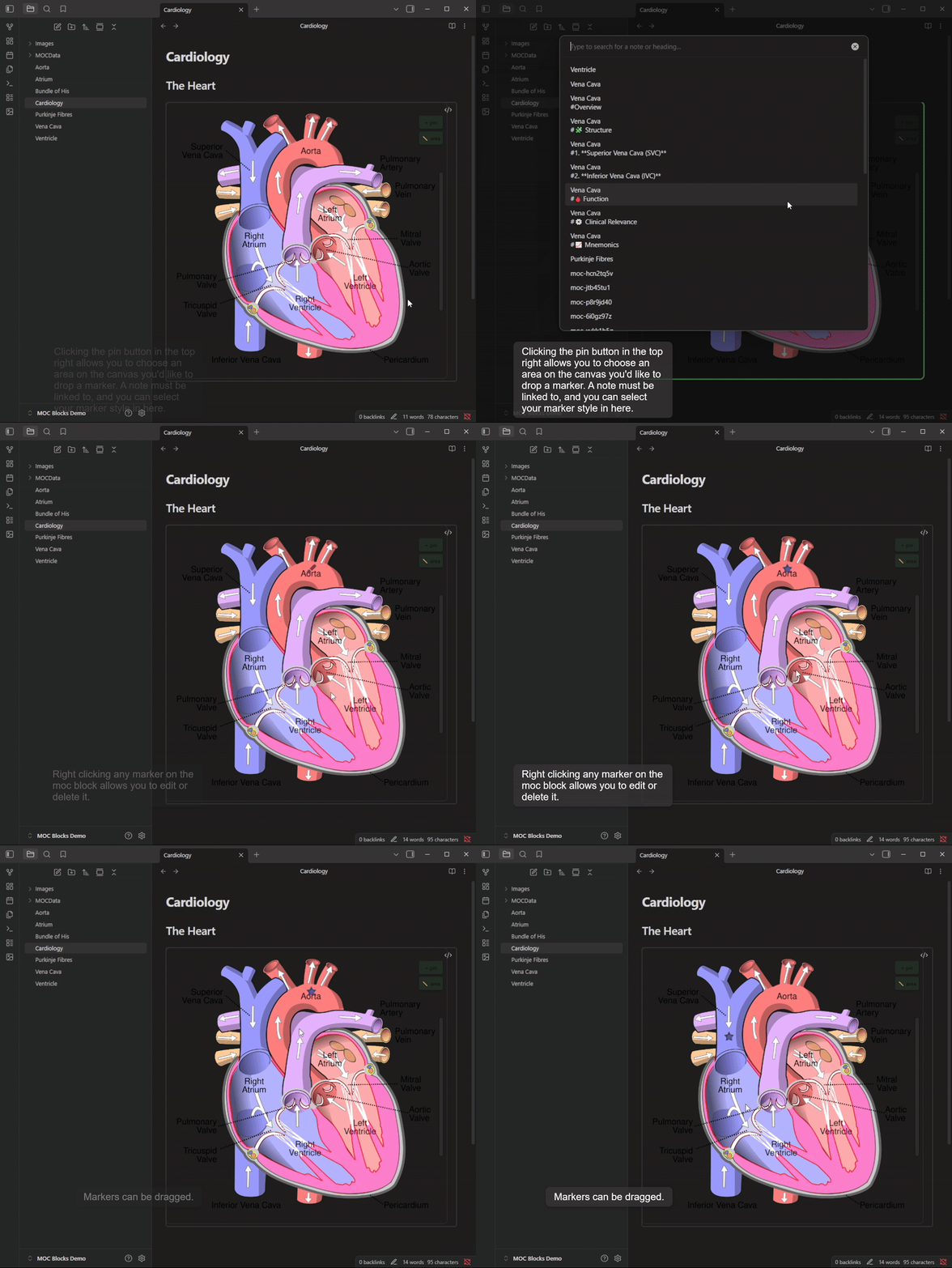
Adding and Editing Markers

Adding Polylines
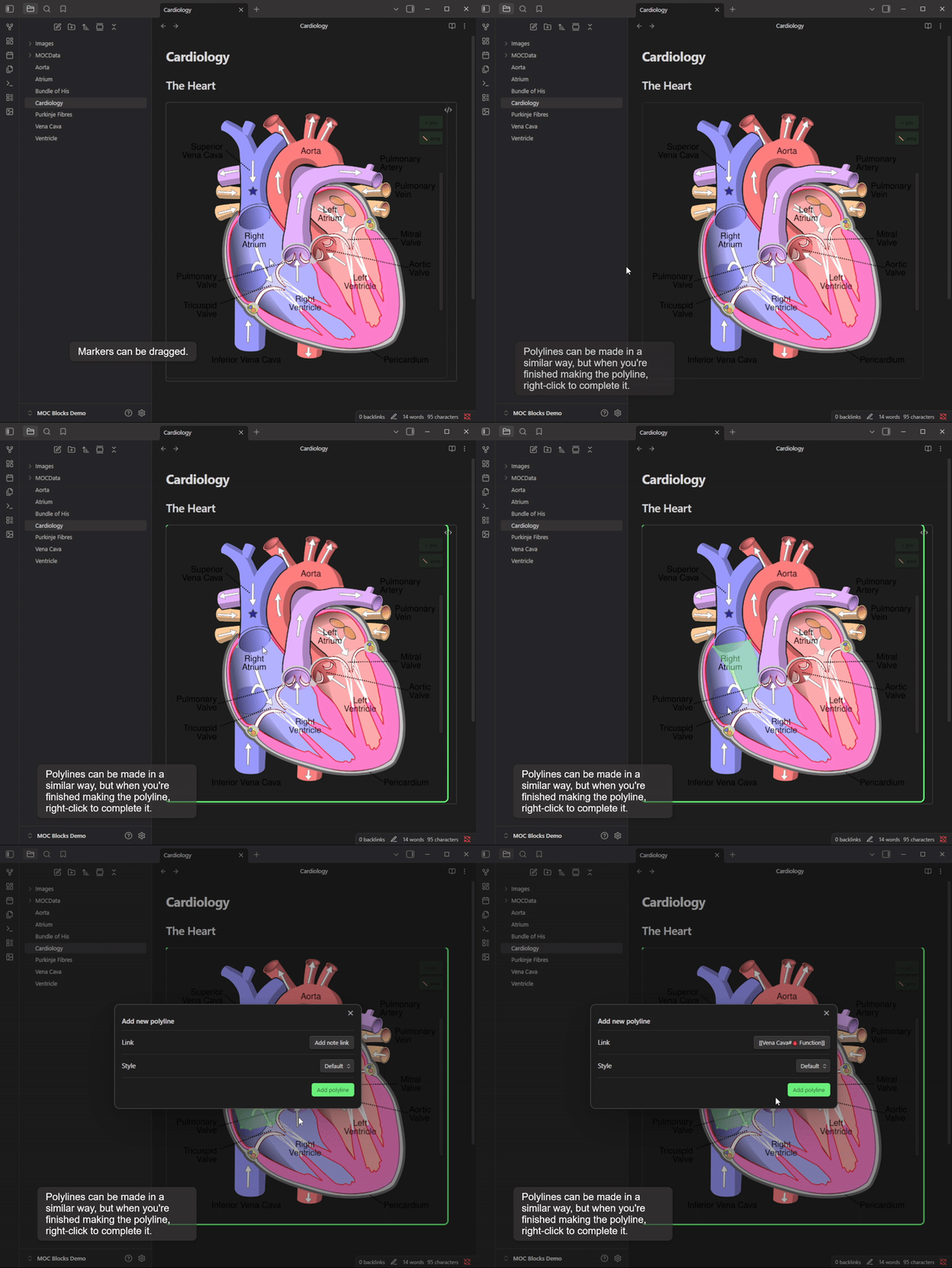
Adding Polylines

Configuring Marker Styles
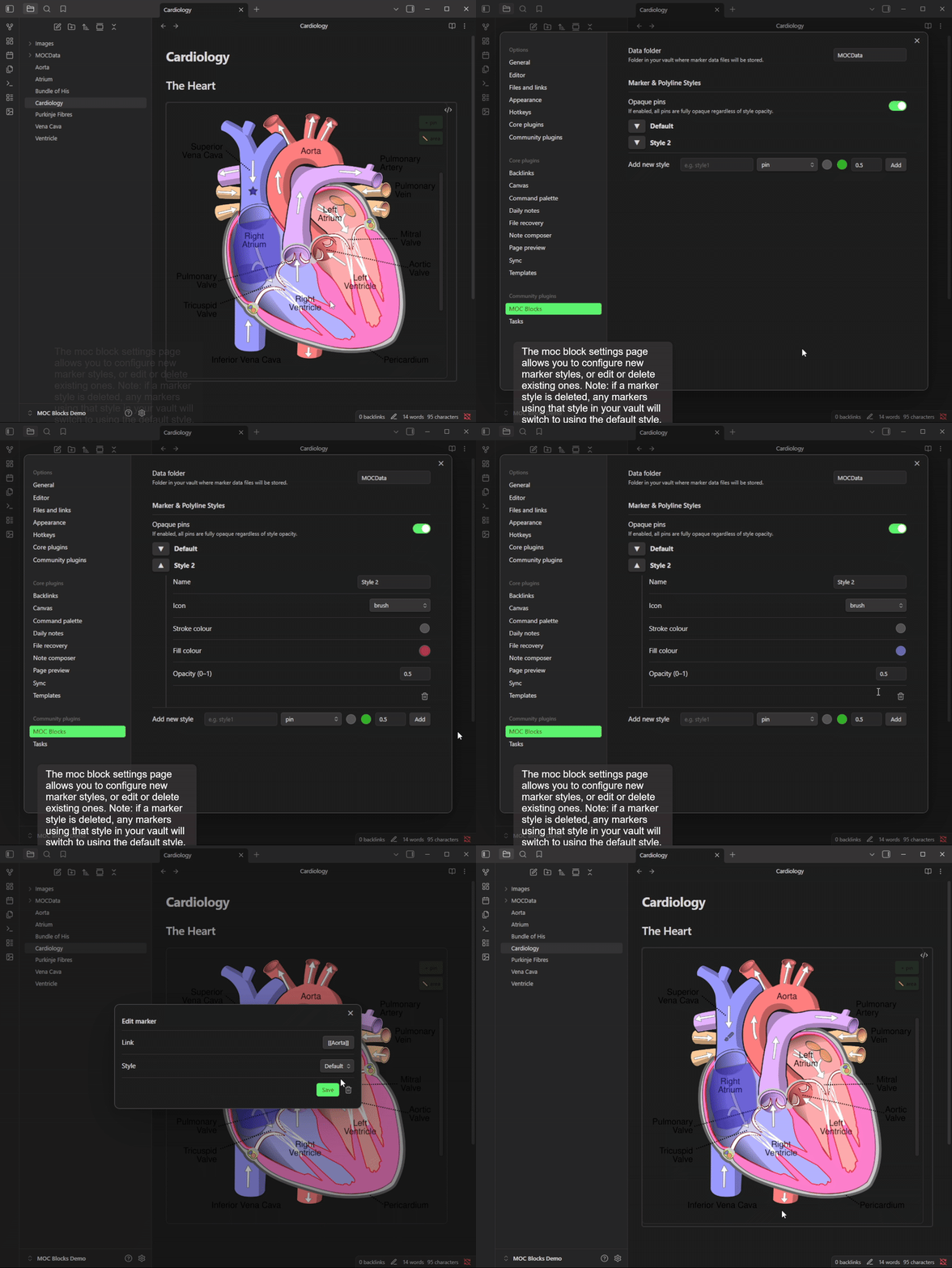
Configuring Marker Styles


The Syntax

``` moc
image: Image1.png
moc_id: [AUTOMATICALLY GENERATED]
image_width: [Image Px width, AUTOMATICALLY GENERATED]
```

Marker location and link data is saved in the moc_id file in your mocdata folder (in vault explorer).

[!IMPORTANT] Note: If you delete any of these files, you will have lost that mocblock's data!

Marker Style data is stored in the plugin data.

[!IMPORTANT] Marker Styles data will be deleted upon plugin deletion from your vault.


Installation

In Obsidian, enable community plugins: Settings → Community plugins → Turn on community plugins Install MOC Blocks - Click "Browse" → Search for "MOC Blocks" → Install Ensure the plugin is enabled, and enjoy!

Known issues

  • For up-to-date issues, see the MOC Block Git repo
  • The image converter plugin breaks the MOC Block resizing feature.

Inspiration

  • This plugin is inspired in part by the excellent leaflet plugin, which allows a similar interface specific to maps. Check out that plugin to see if they have better features for your use case!

Support

If you feel you would like to support my work (thank you!), please buymeacoffee.

88%
HealthExcellent
ReviewSatisfactory
About
Create interactive Maps of Content (MOCs) by attaching clickable marker and area links to an image using "MOC Blocks". Add and edit markers, draw polylines, and customize marker styles; save marker locations and links in per‑MOC files for persistent, editable maps.
ImagesDrawingVisualization
Details
Current version
1.0.2
Last updated
Last week
Created
11 months ago
Updates
3 releases
Downloads
47
Compatible with
Obsidian 1.8.0+
Platforms
Desktop only
License
MIT
Report bugRequest featureReport plugin
Sponsor
Buy Me a Coffee
Author
nebulousnessienebulousnessie
github.com/NebulousNessie
GitHubnebulousnessie
  1. Community
  2. Plugins
  3. Images
  4. MOC Blocks

Related plugins

Mermaid Tools

Improved Mermaid.js experience: visual toolbar with common elements and more.

Ink

Hand write or draw directly between paragraphs using a digital pen, stylus, or Apple pencil.

Kroki

Render Kroki diagrams.

Leaflet

Interactive maps inside your notes.

TTRPG Tools: Maps

A toolbox for interactive fantasy maps.

tldraw

Integration with tldraw, allowing users to draw and edit content on a virtual whiteboard.

Note Gallery

A masonry gallery that will visualize your notes, similar to Craft note view.

Advanced Canvas

Supercharge your canvas experience. Create presentations, flowcharts and more.

Maps

Adds a map layout to bases so you can display notes as an interactive map view.

Image Converter

Convert, compress, resize, annotate, markup, draw, crop, rotate, flip, align, drag-resize, rename with variables, and batch process images: WEBP, JPG, PNG, HEIC, TIF