Search...Search plugins and themes...
⌘K
Sign in
  • Get started
  • Download
  • Pricing
  • Enterprise
  • Account
  • Obsidian
  • Overview
  • Sync
  • Publish
  • Canvas
  • Mobile
  • Web Clipper
  • CLI
  • Learn
  • Help
  • Developers
  • Changelog
  • About
  • Roadmap
  • Blog
  • Resources
  • System status
  • License overview
  • Terms of service
  • Privacy policy
  • Security
  • Community
  • Plugins
  • Themes
  • Discord
  • Forum / 中文论坛
  • Merch store
  • Brand guidelines
Follow us
DiscordTwitterBlueskyThreadsMastodonYouTubeGitHub
© 2026 Obsidian

Journal to Daily Note

defcubedefcube19 downloads

Add entries quickly to your daily note from any file.

Add to Obsidian
  • Overview
  • Scorecard
  • Updates3

Add entries quickly to your daily note from any file.

The input:
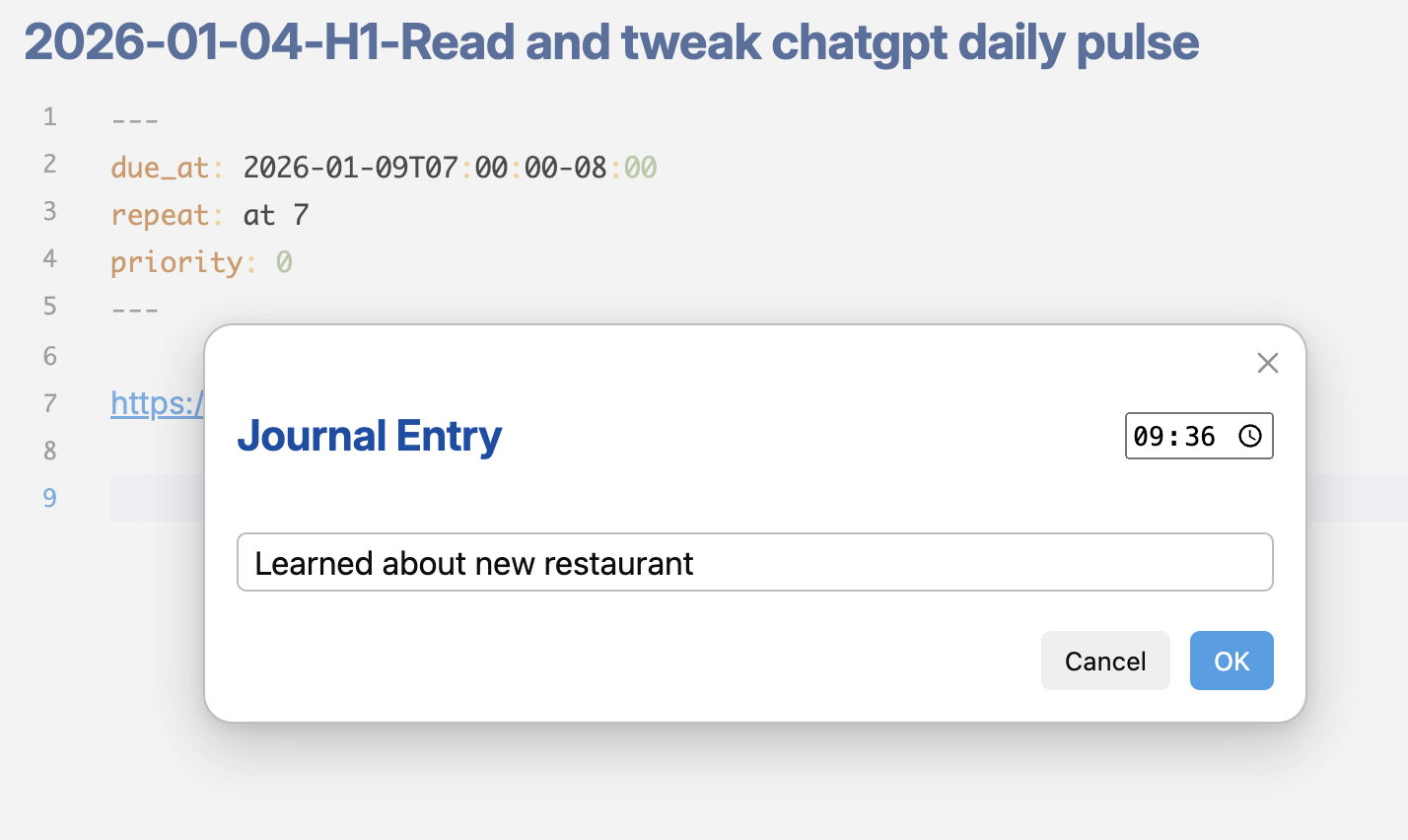
Journal Input Modal

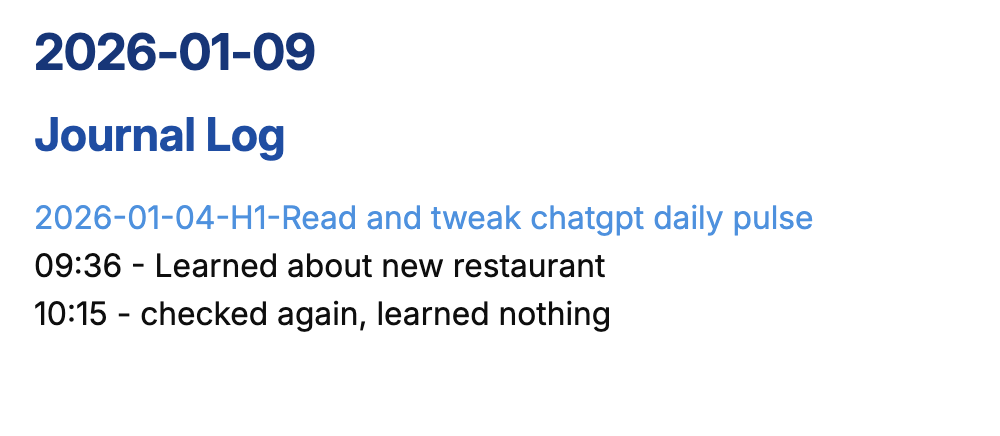
The journal entry in the daily note:

Journal Entry on Daily Note

Features

  • Quick entry modal to add thoughts to your daily note without leaving your current context
  • Automatic timestamp on entries
  • Creates daily note if it doesn't exist

Usage

  1. Open the command palette (Cmd/Ctrl + P)
  2. Search for "Add entry to daily note"
  3. Type your entry and press Enter
81%
HealthExcellent
ReviewCaution
About
Add entries to your daily note from any file using a quick-entry modal. Attach automatic timestamps and auto-create the day's note if it doesn't exist so you never lose a thought.
DatesCommandsAutomation
Details
Current version
1.0.2
Last updated
4 months ago
Created
4 months ago
Updates
3 releases
Downloads
19
Compatible with
Obsidian 1.11.0+
Platforms
Desktop, Mobile
License
MIT
Report bugRequest featureReport plugin
Author
defcubedefcube
github.com/defcube
GitHubdefcube
  1. Community
  2. Plugins
  3. Dates
  4. Journal to Daily Note

Related plugins

Task Collector (TC)

Change task status and collect tasks within a document using hotkeys and context menus.

Rollover Daily Todos

Rollover any unchecked checkboxes from your last daily note into today's note.

Attachment Management

Customize attachment path, auto-rename attachments, etc.

Vault Changelog

Maintain a changelog of recently edited notes.

Shell commands

Define system commands that you want to execute via command palette, hotkeys, URI links or automated events. E.g. open external applications or perform automated file modifications.

Update modified date

Automatically update a frontmatter modified date field when the file is modified.

Day and Night

Automatically toggle themes between day theme and night theme on a set time schedule.

QuickAdd

Quickly add new notes or content to your vault.

Templater

Create and use dynamic templates.

Homepage

Open a note, base, or workspace on startup, or set it for quick access later.