Iron Vault
 iron-vault-plugin19k downloads
Gameplay plugin/VTT for the Ironsworn/Starforged family of tabletop RPGs.
- Overview
- Scorecard
- Updates214
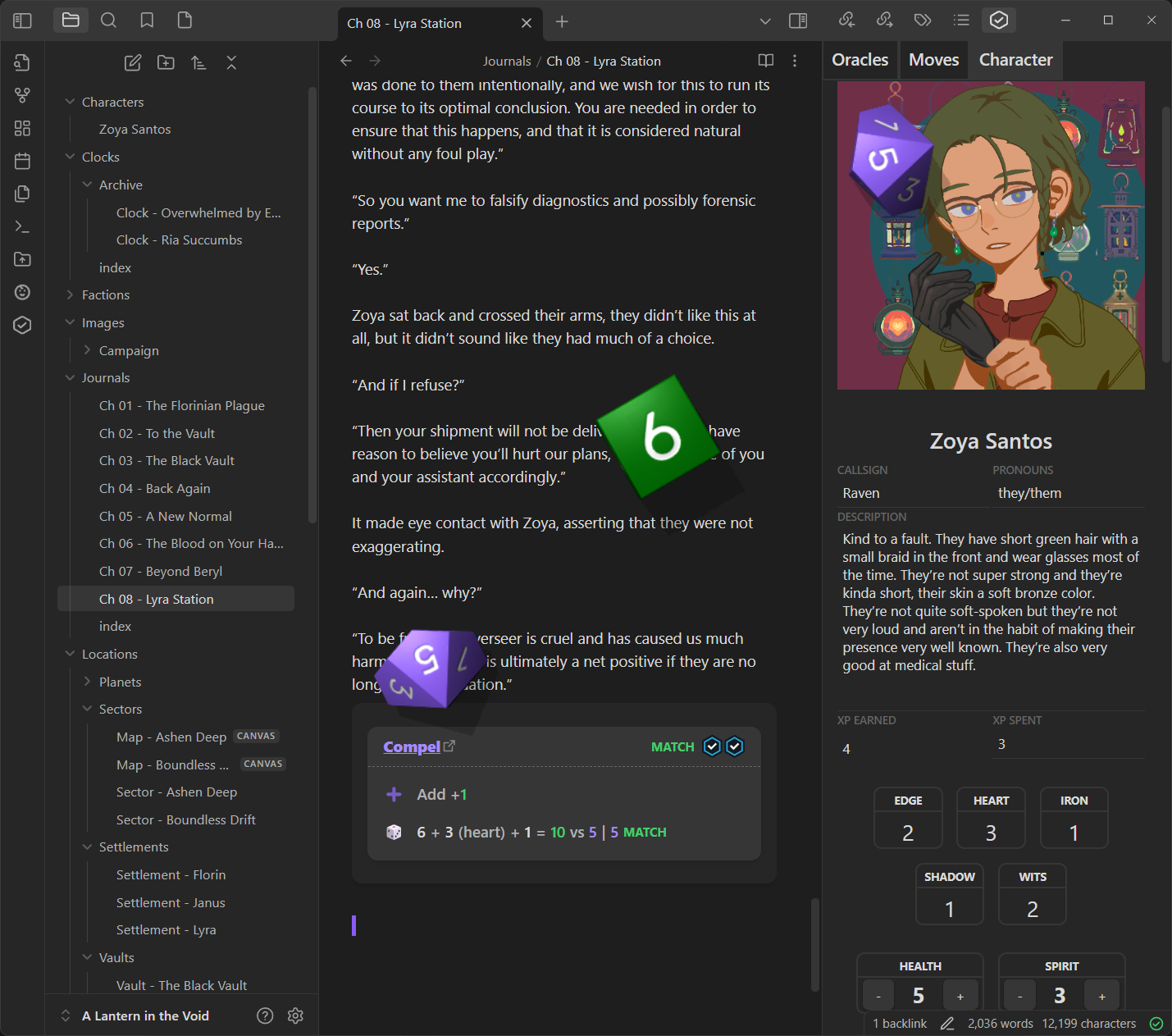
Obsidian plugin to play Ironsworn/Starforged system games, using the data in datasworn format.
This owes a lot to Eric Bright's Forged_in_Obsidian template vault. I started with that vault and then gradually replaced functionality with this plugin.
Documentation
The full documentation is available on the docs site at https://ironvault.quest/. It covers all current (and some future!) features of the plugin, how to use them, and even lets you search to find what you're looking for.
Features
You can start reading about the various Iron Vault features here:
- Built-in Rulesets - Includes support for Ironsworn Classic, Ironsworn: Delve, Ironsworn: Starforged, and Sundered Isles, as well as community expansions Ancient Wonders, Fe-Runners, and Starsmith.
- Blocks - Special blocks used throughout the tool to render things nicely and give you handy interactive widgets for editing game data.
- Commands - Various Obsidian commands, all of which can be bound to hotkeys or the quick access bar, for performing all sorts of game actions, like making moves, creating progress tracks, etc.
- Entities - How Iron Vault represents all sorts of different game concepts, or some ways that you might choose to represent them yourself.
- Multiple Campaigns - You can have one or more campaigns in a single vault!
- Multiplayer - Play online or locally with other players!
- Sidebar - A handy right-panel sidebar for quick access to Moves, Oracles, and your Character Sheet, all in one, easy-access place. Particularly useful on mobile.
- Special Links - There are special external links that, instead of trying to open a web page, will open a modal window with the contents of the thing you're trying to link to. For example,
[My Move](move:MyMoveName)will pop up a window with the description and roll buttons for "My Move". - CSS Tweaks - Styling tweaks to make some things look nicer or more customized, such as the
iron-vault-embedoption for inlining embeds. - Callouts - Special formatting and generation for game-related callouts.
- Homebrew - BYO Rulesets! Import custom assets, oracles, or even entire rulesets/games that conform to the Datasworn data model.
- Settings - Various configurations available to tweak your Iron Vault experience.
- API - (Coming Soon) Are you a developer? We expose the plugin for easy access, for folks who want to do fancier things with Iron Vault features.
Installing the plugin
The easiest way to install the plugin is simply to search for it under Community Plugins in Obsidian itself. Just install, enable it, and you're good to go! Check out the documentation site for more information on how to play!
You can also install other versions via BRAT. You should be able to add this repo to BRAT, and it will install the latest release of this plugin
You can also install it manually by downloading the latest files from Github Release. You'll want to put main.js, manifest.json, and styles.css in your-vault/.obsidian/plugins/iron-vault.
To build the code and copy it to your vault yourself, run pnpm install and pnpm build to generate the production files, which will be in the repo root. You can then copy these to the location above.
You should then be able to enable the plugin in your vault (after restarting/reloading Obsidian).
Contributing
Iron Vault is a community project built by players, for players, and we welcome contributions! Please see CONTRIBUTING.md for details.