Compile Loss Check
 theluckystrike1 downloads
Find source paragraphs that do not match a compiled manuscript.
- Overview
- Scorecard
- Updates1
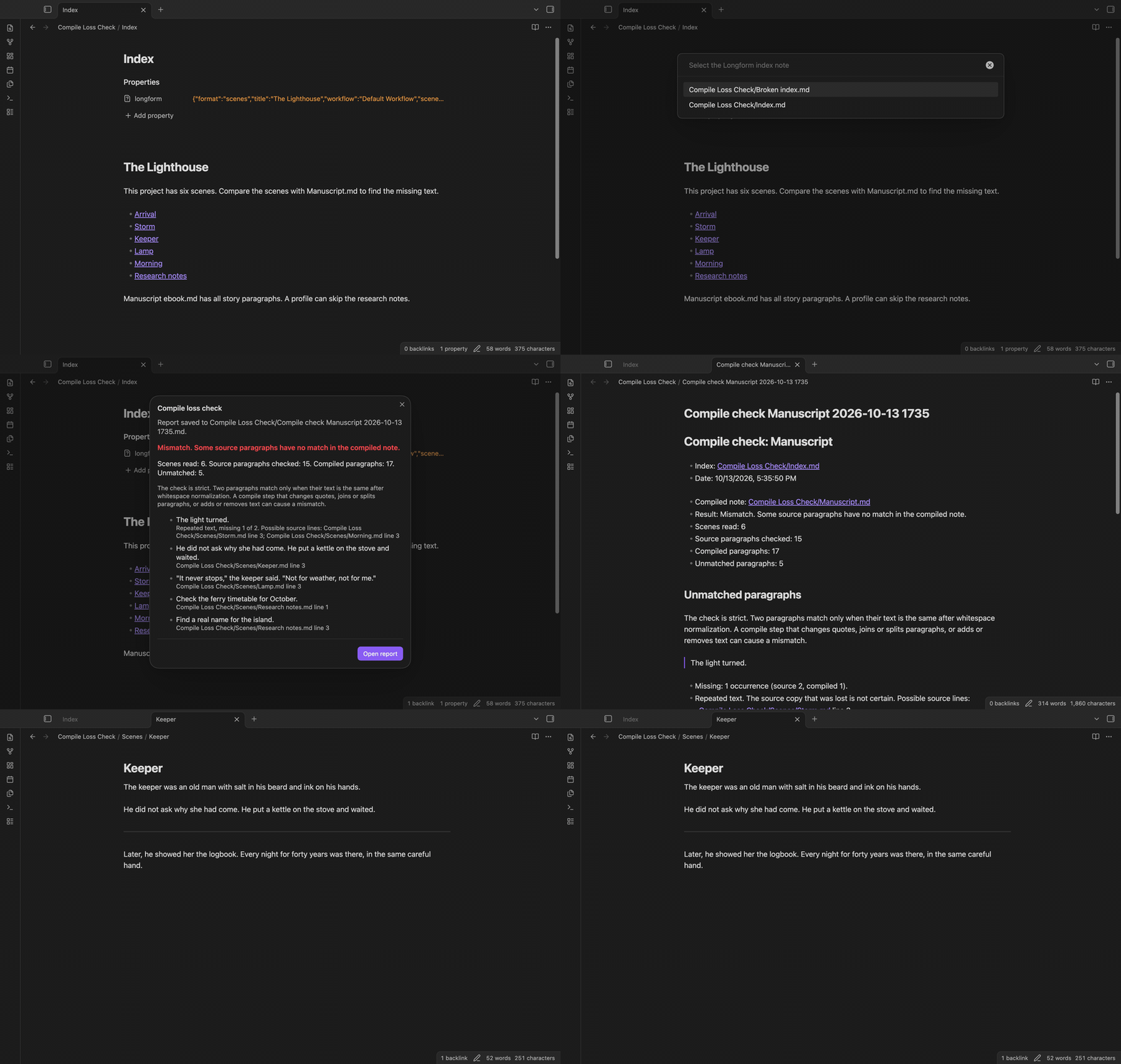
Compile Loss Check compares the scenes of a Longform project with a compiled manuscript note. It lists each source paragraph that has no match in the compiled note, with the scene path and the line number.
The plugin reads the scene order that Longform saves in the frontmatter of the index note. It does not need Longform or start a compile.
Features
Check a compiled note against its scenes
The check splits each scene and the compiled note into paragraphs. A blank line ends a paragraph. Runs of spaces, tabs and line breaks inside a paragraph become one space. Then it counts each paragraph text in the scenes and in the compiled note, and reports the texts that occur more times in the scenes.
The check ignores only the block of properties (YAML frontmatter) at the start of a note. If that block holds plain text and not properties, the check compares it. A --- line later in the body is a thematic break, not frontmatter, so the text near it is checked. Paragraphs that hold only a thematic break (---, *** or ___) are skipped because they hold no text.
Extra text in the compiled note, such as chapter headings, does not fail the check.
When a paragraph occurs two or more times in the scenes and only some copies match the compiled note, the check lists each source line with that text and marks the result as uncertain. It cannot tell which copy was lost.
The comparison is strict. Curly quotes in place of straight quotes, or two paragraphs joined into one, give a mismatch. The report can give a hint: the compiled note has the text with other quote marks, or a longer compiled paragraph contains it.
Pick the index and the compiled note
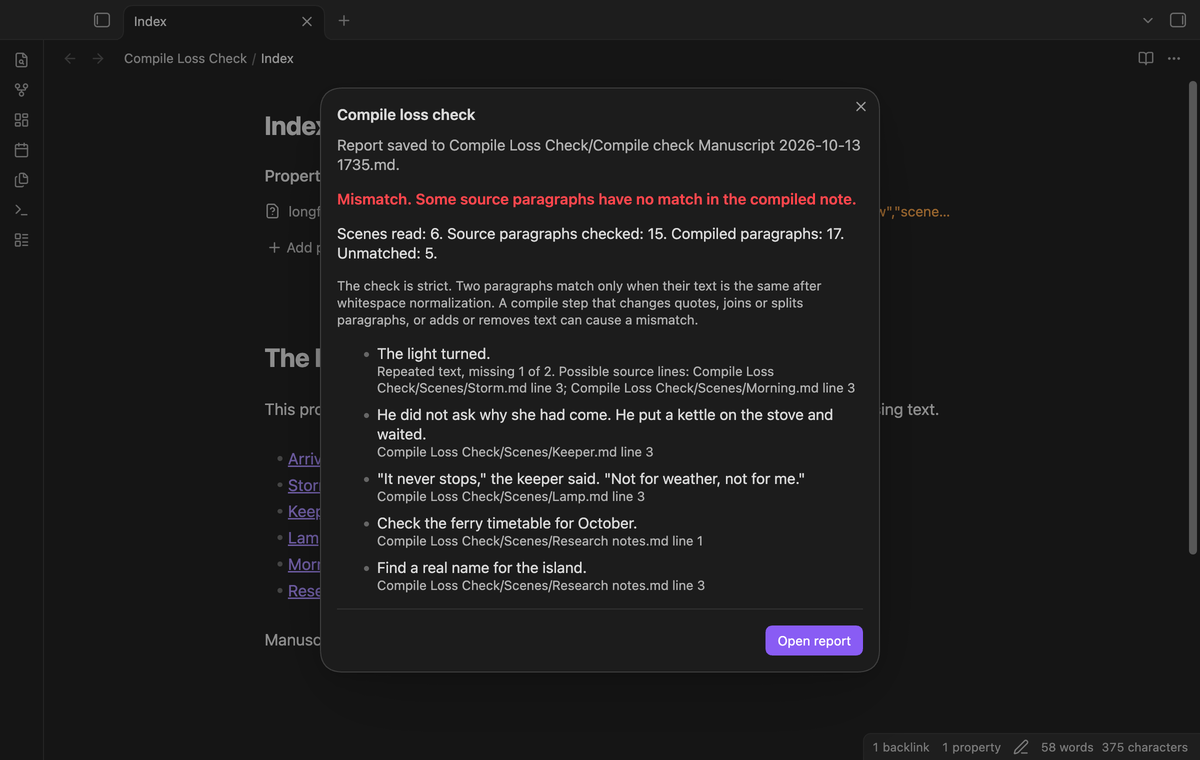
Run "Check a compiled manuscript" from the command palette. The first list shows the notes that have a longform property in their frontmatter. The second list shows the other Markdown notes, so you can select the compiled manuscript.
Scenes come from sceneFolder and scenes in the index. A nested list such as [A, [B], C] puts B under A, and the check reads A, B and C in that order.
A new Markdown report
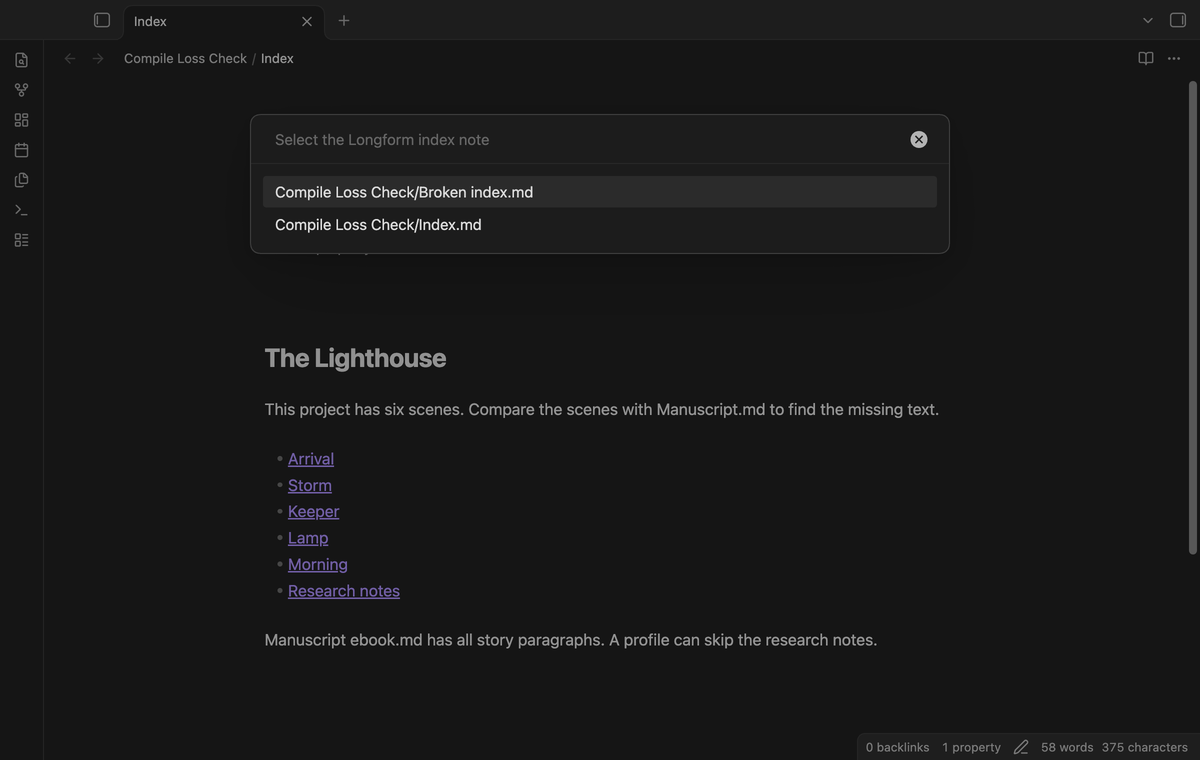
Each check saves a new note with the result. By default, the report goes next to the compiled note, with a name such as "Compile check Manuscript 2026-10-13 0930". If that name is in use, the plugin adds a number. It does not write over a note. The report links each paragraph with no match to its scene, and the result window has an "Open report" button.
Incomplete checks
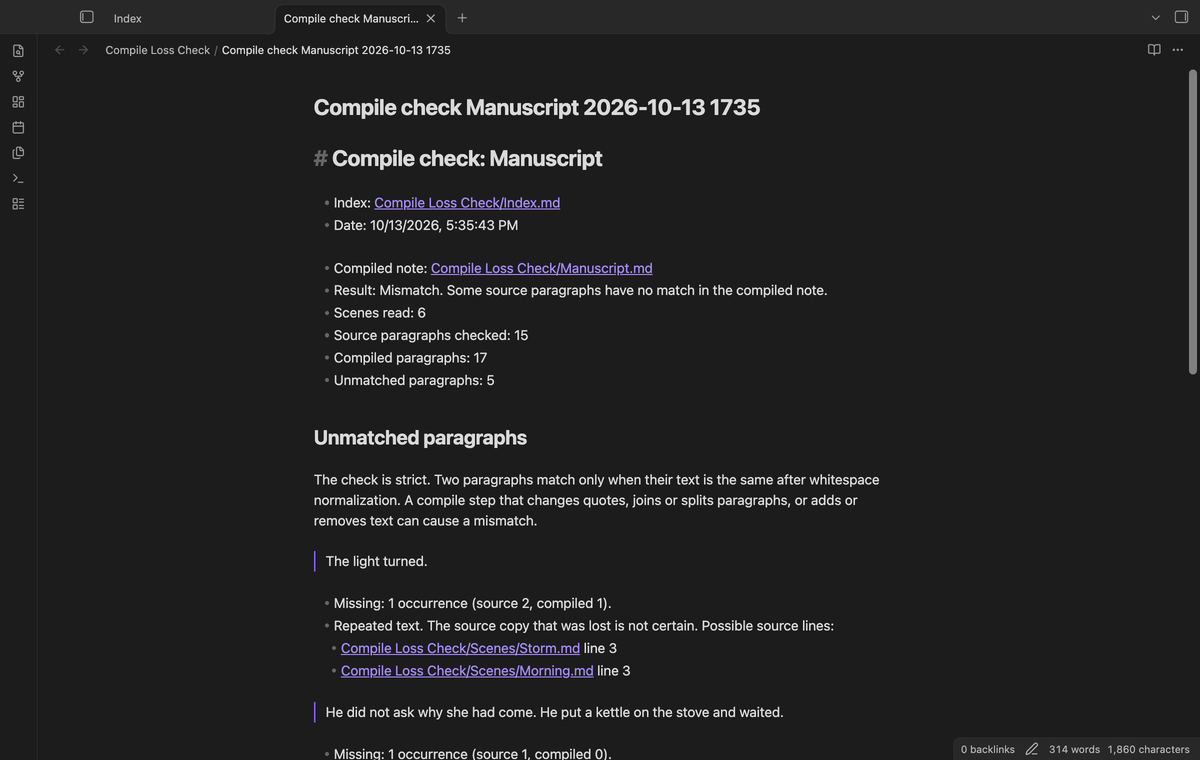
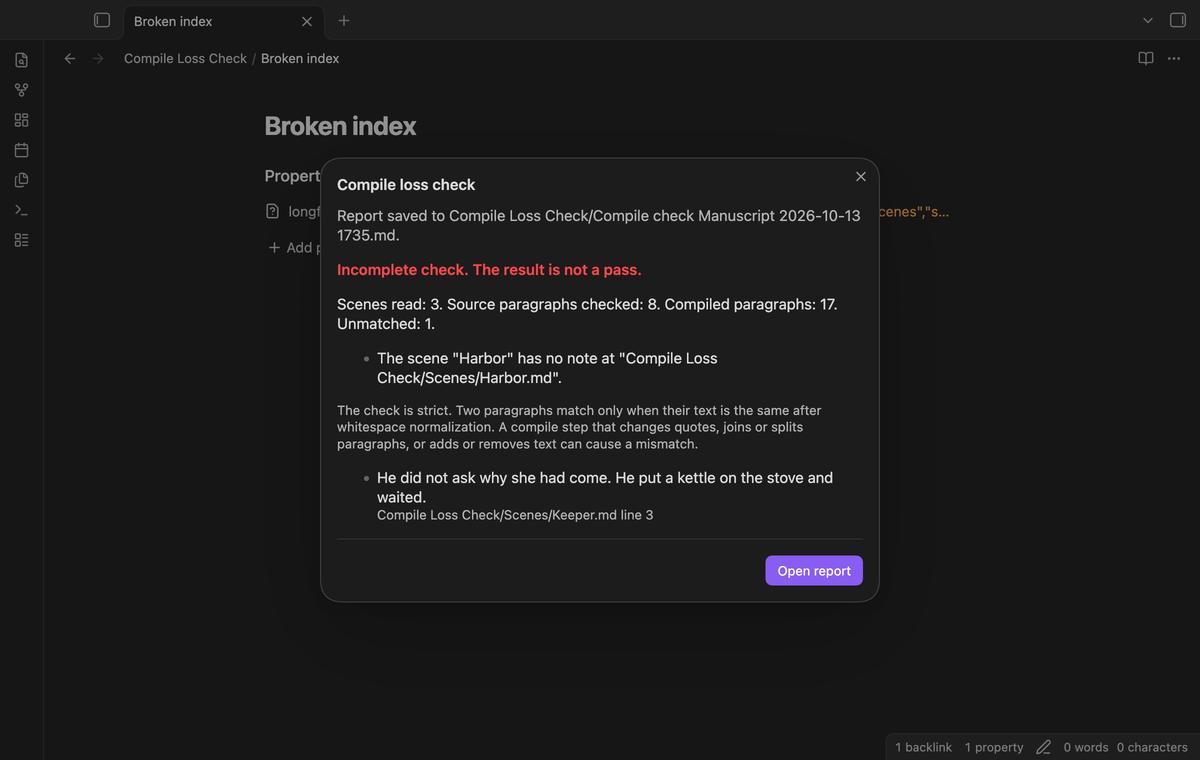
Some input stops a full check. Then the result says "Incomplete check" and lists the exact errors. Examples are a scene name with no note, a child list with no parent scene, a scene name two times in the list, a format: single project, an index with no longform property, and a project over the size limit. If the index, a scene or the compiled note changes while the check reads them, the check stops and asks you to run a new scan.
Comparison profiles with exclusions (Pro)
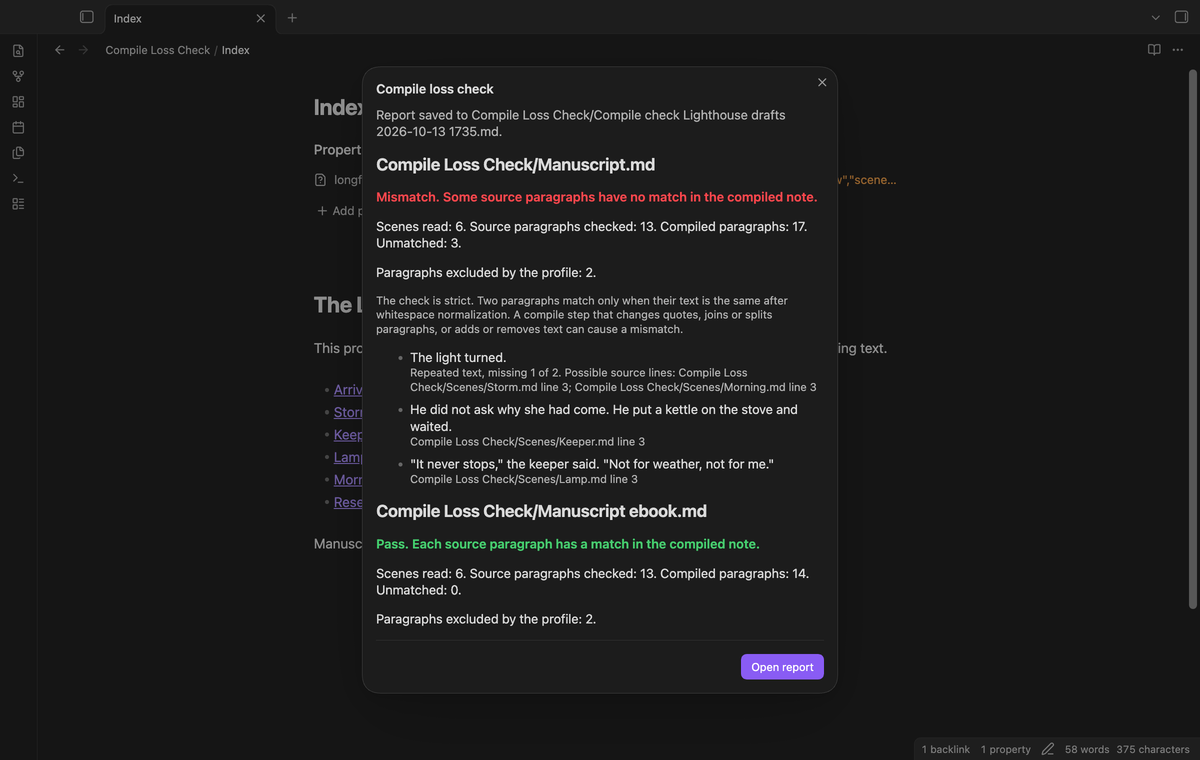
Save the last check as a named profile. A profile holds the index, the compiled notes and two lists of exclusions: paragraph texts to skip, and scene paths to skip. The report shows how many paragraphs the exclusions removed.
Several compiled notes and report history (Pro)
One profile can hold more than one compiled note, for example a print version and an ebook version. A run checks each compiled note and writes one report with a section for each. When Pro is on, each check also adds an entry to the report history. Run "Open a report from the history" to find an earlier report by its date, profile and result. The history keeps the newest 200 entries.
Install
Install the files that the maintainer supplies:
- Make the folder
.obsidian/plugins/compile-loss-check/in your vault. - Copy
main.js,manifest.jsonandstyles.cssinto that folder. - In Obsidian, open Settings, then Community plugins, and turn off Restricted mode.
- Reload Obsidian, then enable Compile Loss Check in the list of installed plugins.
The plugin needs Obsidian 1.13.4 or later.
Usage
- Compile your Longform project to a note, or keep a compiled note that you made before.
- Open the command palette and run "Compile Loss Check: Check a compiled manuscript".
- Select the index note of the project, then the compiled note.
- Read the result. Select "Open report" to open the saved report.
The check compares the scenes as they are now. If you edited a scene after the compile, the edit can show as a mismatch.
Pro commands:
- "Save the last check as a comparison profile" opens a form with the name, the compiled notes and the exclusions.
- "Run a comparison profile" runs a saved profile.
- "Delete a comparison profile" removes a profile. Its reports stay in the vault.
- "Open a report from the history" opens an earlier report.
Without Pro, these commands show a notice and change nothing.
Settings
| Setting | What it does |
|---|---|
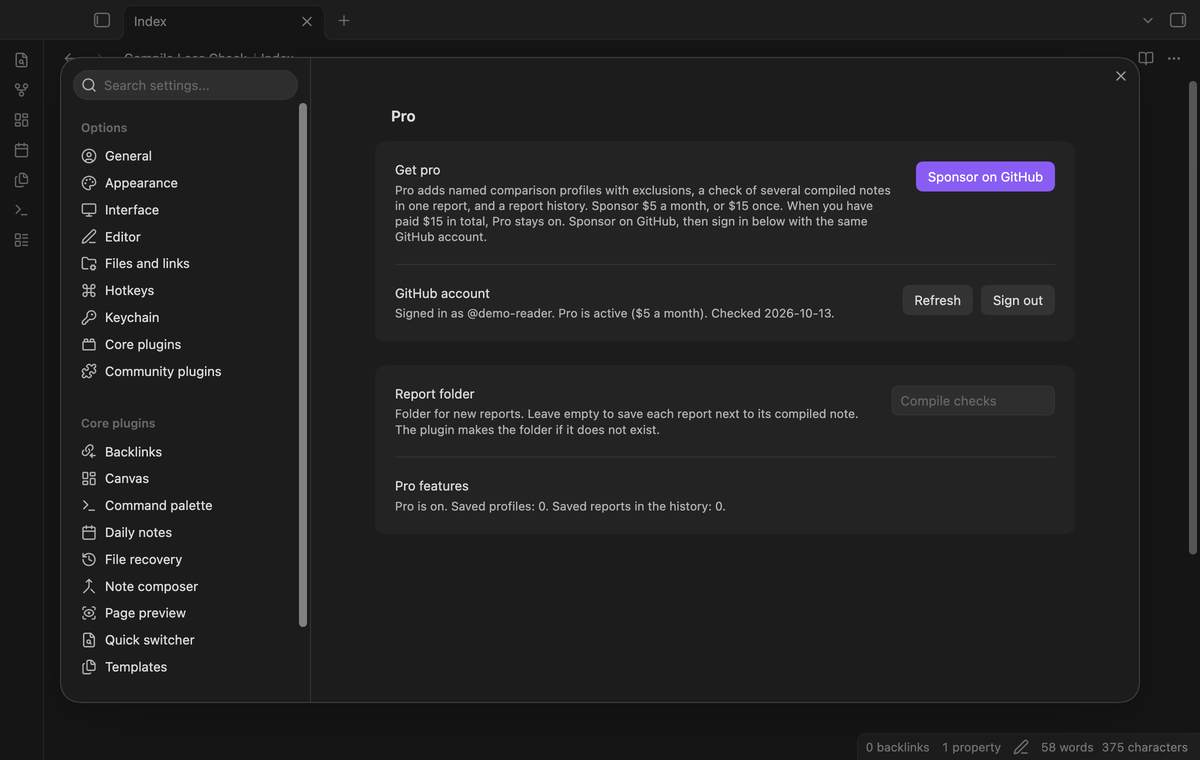
| Report folder | The folder for new reports. Empty puts each report next to its compiled note. The plugin makes the folder if it does not exist. |
| Pro | Sign in with GitHub, the sponsorship status and the Sponsor button. |
Profiles and the report history are saved in the plugin data of the vault.
FAQ
Why does the check report text that is in the manuscript?
A changed quote mark, a changed dash, joined paragraphs or a changed word make a different text. Look at the hint under the paragraph in the report. Pro exclusions can skip text that you change on purpose.
Can it prove what text existed when I compiled?
No. It reads the scenes as they are at the time of the check. It cannot see an earlier version.
Does it change my notes?
No. It reads the index, the scenes and the compiled note. It creates a new report note and, if needed, the report folder.
What are the limits?
A check stops with an incomplete result above 2,000 scenes or 20,000,000 characters in total. The result window shows a short list of paragraphs with no match. The report lists each text with no match and its source lines.
What was not tested?
The unit tests run on Node with a mock of the Obsidian API. The end-to-end tests pass on Obsidian 1.13.4 and 1.14.4 on macOS. We have not tested the plugin on a phone or a tablet, and we have not measured its speed on a large manuscript. We have not tested it with a project that the Longform plugin compiled in the app; the sample manuscript was written by hand. We have not tested the GitHub Sponsors sign in with a real account in this plugin.
Payment, account and network
The core features are free. Pro features need a GitHub Sponsors sponsorship of theluckystrike: $5 a month or more, or $15 once. A total payment of $15 meets the payment requirement for Pro without further payment. Sign-in and the checks below still apply. Your notes stay readable and editable with or without Pro.
GitHub handles the payment. Sponsor at https://github.com/sponsors/theluckystrike. You need no account for the free features. Pro needs the GitHub account that sponsors.
Until you select "Sign in with GitHub" in the settings, Compile Loss Check makes no network requests. Sign in uses the GitHub device flow. Compile Loss Check sends its public client ID and the scope read:user to https://github.com/login/device/code and shows you a code. While you enter the code at https://github.com/login/device, it asks https://github.com/login/oauth/access_token every few seconds to check the sign-in status. The scope permits profile reads only. GitHub needs this access to show the sponsorship tier. It grants no repository scope and no write access.
After sign in, Compile Loss Check sends one query to https://api.github.com/graphql. It checks if the signed-in account sponsors theluckystrike. It asks for the tier and the total payment to theluckystrike. The plugin reuses a successful check for 7 days. Failed checks can retry after 6 hours. Select Refresh to request an earlier check. It sends no note content, file names or other vault data, and it has no telemetry.
After a successful check, Pro can work offline for up to 14 days. Sign out or a negative sponsorship answer turns Pro off. The plugin stores the GitHub token through the secret storage API of Obsidian. It does not put the token in its saved settings or its local sponsorship data. The local storage of this device keeps your GitHub login, the tier and the time of the last check. Sign out clears the token. You can also revoke the access in your GitHub settings, under Applications.
Support
Report bugs and feature requests in this repository's issues. Add your Obsidian version, the frontmatter of your index note and, if possible, a small sample scene and compiled note.